Microsoft Azure Lab Services Retirement: What It Means for You & How to Plan Your Transition
Azure Lab Services retires June 28, 2027. See what stops working, what survives, and a 9-phase plan to move your labs before the deadline.


Azure Lab Services will be fully retired on June 28, 2027. Microsoft closed new sign-ups on July 15, 2024, and existing lab plans and lab accounts will keep working normally until the retirement date. Any labs, configurations, and custom images that were never exported to an Azure Compute Gallery will become inaccessible.
Azure Compute Gallery images are not part of the Azure Lab Services service and remain available after retirement. Images that exist only within Azure Lab Services should be exported before the retirement date.
Microsoft’s own Azure Lab Services retirement guide recommends starting a transition plan now, not at the deadline, and recommends its own and Azure partner solutions, including CloudLabs VM Labs.
The work isn’t moving a VM; it’s preserving custom images, LMS integrations, and provisioning workflows built over multiple semesters. Institutions that start early get to experience a planned transition and avoid last-minute hustle.
What “Azure Lab Services retirement” actually means
| Date | What happens |
|---|---|
| July 15, 2024 | New customers can no longer sign up. Existing customers can continue with the platform, but no new lab accounts can be created. |
| June 28, 2027 | Azure Lab Services is fully retired. Lab accounts, lab plans, and labs are no longer accessible. |
Until June 28, 2027, your labs will keep running as they do today. Microsoft continues to support current deployments, including fixes for blocking bugs and security issues. After June 28, 2027, Azure Lab Services will no longer be supported, and customers will no longer have access to their lab accounts, lab plans, or labs. The retirement covers the whole service. It applies to labs built on lab accounts (classic) and on the newer lab plans alike.
One thing survives. Azure Compute Gallery resources remain available after Azure Lab Services retires. Images that exist only within Azure Lab Services should be exported to a Compute Gallery before retirement if you need to reuse them. Custom images that were never exported to a Compute Gallery are lost when the labs are retired.
Why Microsoft is retiring it (and why this isn’t a fixable outage)
Azure Lab Services is not down, and it will not come back after June 28, 2027. This is a permanent, scheduled shutdown of the whole service, announced in advance. No support ticket or configuration change can extend it.
In its Azure Lab Services retirement guide, Microsoft recommends its own services and Azure partner solutions that offer Azure Lab Services features and more, including new features the platform never had.
CloudLabs VM Labs is one of the partner solutions Microsoft recommends in its retirement guide, for customers who want a solution similar to Azure Lab Services, built for classrooms and training rather than general-purpose virtual desktops. Here is what CloudLabs VM Labs offers:
- Browser-based access: Students get to access lab VMs in a web browser, with no extra software to install
- Linux and Windows labs: Customized to each course’s requirements
- Multi-VM and nested virtualization labs: Up to five VMs per lab, each with its own configuration
- Instructor monitoring: VM Shadow lets instructors see a learner’s session in real time
- LMS integration: LTI 1.1 and LTI 1.3 support for launching labs from your existing LMS
- Azure region choice: VMs run in the Azure region you select, for low latency and data residency
- Feature parity: CloudLabs VM Labs features the same familiar interface and capabilities everyone loves about Azure Lab Services, with added power and flexibility.
- Cost controls: Advanced schedules, usage quotas, and on-demand VM deployment
Microsoft’s own services, Azure Virtual Desktop and Windows 365 Cloud PC, are also listed in the guide. For institutions looking for an education-focused alternative with capabilities such as multi-VM environments, LMS integration and instructor monitoring, CloudLabs VM Labs is one of the Microsoft-recommended partner solutions.
What happens after Azure Lab Services retires in 2027?
After June 28, 2027, Azure Lab Services will no longer be supported, and customers will no longer have access to their lab accounts, lab plans, or labs. It is not a partial loss where some courses keep running.
On that date, you lose access to your lab accounts, lab plans, and labs. In practice, that takes down:
- Courses and class schedules set up in your labs
- Student access, including invitations, quotas, and sign-in workflows
- Lab templates and custom VM images that were never exported to an Azure compute gallery
- LMS and LTI integrations that launch labs from Canvas, Moodle, or other platforms
- Provisioning and automation your team built around Azure Lab Services
- Cost controls and usage reports tied to the service
Will I lose my data? Anything inside the labs themselves, yes. The exception is images you saved to your Azure compute gallery, which stay available after retirement. Note that Azure Lab Services exports only specialized images, so some platforms may need you to generalize or rebuild an image before you can reuse it.
Your core limits don’t come with you. The vCPU/core limits on your Azure subscription can’t be transferred to a new solution, whether you used lab accounts or lab plans. You or your new provider must request cores again as part of the move. Microsoft advises requesting capacity as early as possible, staying flexible on region, and asking in smaller increments rather than one bulk request.
You may not need as many cores as before, either. Microsoft suggests reviewing actual lab usage instead of copying your old limits, because some recommended transition solutions can use resources more efficiently, potentially reducing the number of cores required.
The real cost of waiting (not just the deadline)
Waiting doesn’t just risk missing June 28, 2027. It also shrinks the time you have to migrate, and costs show up long before the deadline.
Most teams delay for understandable reasons: migration looks complex, nobody wants to disrupt a running course, it’s unclear whether a new platform will match current features, and core quotas and costs need sorting out. Each of those problems gets harder, not easier, as the deadline gets closer.
| Risk of waiting | What goes wrong | What to do now |
|---|---|---|
| Losing custom images and configurations | Images never exported to an Azure compute gallery disappear with the labs, along with the setup work behind them. | Inventory every template and custom image, and export the ones you need to your compute gallery. |
| Disrupting live cohorts | A rushed cutover lands mid-course, and students lose lab access in the middle of a term. | Schedule each course’s move for a break between terms, and pilot before the full move. |
| Missing the cost-optimization window | Copying labs as they are can cost more. Azure Lab Services covers storage as part of the service, while other solutions may charge separately for storage. | Leave time to redesign labs with on-demand VMs, right-sized disks, and cheaper storage when VMs are off. |
| Choosing a platform without testing it | A late decision means picking a platform on paper, with no time to find gaps before students arrive. | Run a real pilot course with instructors and students before committing. |
Plan around your academic calendar. Never cut over in the middle of a course. The retirement date falls on June 28, 2027; institutions should align migration work with academic breaks and avoid scheduling the final cutover during an active course.
The 9-Phase Azure Lab Services Migration Framework
A practical migration plan can be organized into nine phases, from taking stock of your labs to switching off the old ones. Working through them in order is what turns a deadline scramble into a planned transition.
| # | Phase | What it involves |
|---|---|---|
| 1 | Assess | List your existing Azure lab plans, templates, custom images, class schedule, LMS connection, and core limits you use today. |
| 2 | Prioritize | Rank labs by when their next course starts and how complex they are. Courses starting soonest move first. |
| 3 | Evaluate | Compare Microsoft and partner options against your needs: Linux, multi-VM labs, instructor monitoring, LMS integration, and cost model. |
| 4 | Pilot | Run one real course on the chosen platform with a small group, and request cores for the new setup early. |
| 5 | Optimize | Redesign instead of copying: on-demand VMs, right-sized disks, Generation 2 images, and cheaper storage when VMs are off. |
| 6 | Train | Prepare instructors and support staff for the new workflows before students arrive. |
| 7 | Migrate | Move custom images first, then the labs that use them, course by course and between terms. |
| 8 | Verify | Test each lab end to end as a student and as an instructor, and check that costs match your plan. |
| 9 | Retire | Delete unused Azure Lab Services resources and formally offboard before June 28, 2027. |
The ordering rule that trips people up: If your replacement environment depends on custom VM images, move or recreate those images early in the migration process. This can reduce rework when rebuilding labs that depend on them. A lab can’t be rebuilt on a new platform until its image is there, so migrating labs first leaves you with broken templates and a second round of work.
While you plan, Microsoft suggests using the latest version of Azure Lab Services (lab plans) as a stopgap. Lab plans offer faster VM start times, more VM sizes, and more regional control than older lab accounts.
For the step-by-step details on each phase, see the full migration guide: How to Migrate from Azure Lab Services: Step-by-Step
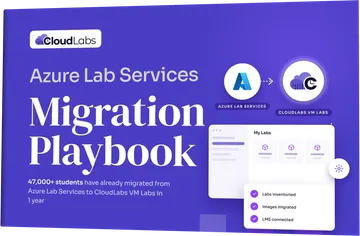
Download the Azure Lab Services Migration Playbook (2026 Edition): Azure Lab Services Migration Playbook
How institutions are handling it so far
Institutions aren’t waiting for 2027. 47,000+ student accounts have already been migrated to CloudLabs VM Labs in 1 year.
That scale matters because it shows how the transition works in real courses, with real students, across full terms. The institutions making the move aren’t just migrating to an Azure Lab Services alternative. They are choosing:
- Speed: Instant lab creation instead of up to 20 minutes of waiting time, and no separate publishing step
- Flexibility: Persistent and non-persistent labs, up to five VMs per lab, and custom VM sizes
- Seamless access: Sign-in with Azure AD, Google, LinkedIn, and other identities
- Oversight: Real-time instructor monitoring, lab lifecycle tracking, and cost reports per user and lab
- Transparent pricing: Pay according to a pay-as-you-go pricing model. We only charge for the active VM labs
- 24/7 technical support: Dedicated professionals offer seamless support with lab-related technicalities 24 x 7 for 365 days
- Seamless migration assistance: Step-by-step transition assistance by experts ensures a smooth switch from ALS to CloudLabs VM Labs services
- Azure benefit eligibility: CloudLabs VM Labs is available through Microsoft Marketplace and is currently marked Azure benefit eligible. Eligible Marketplace purchases can contribute toward an organization’s Azure Consumption Commitment when purchased through the required Azure Marketplace checkout process.
Get a complete overview of CloudLabs VM Labs for Azure Lab Services customers.
“Thanks to CloudLabs, we have successfully delivered Azure-related courses and Azure Labs to our students in various programs. We are incredibly pleased with our experience using CloudLabs by Spektra Systems. Their responsiveness and support have been outstanding.”
David Trinh, Academic Program Manager, Seneca Polytechnic
Migrate from Azure Lab Services: Get up to $2K Azure Credit!
To support your transition from Azure Lab Services, CloudLabs is currently offering up to $2,000 in Azure Credits to qualified customers transitioning from Azure Lab Services. Offer eligibility and terms apply. The credit can be used toward eligible CloudLabs VM Labs usage under the program terms, allowing you to get started immediately with no upfront costs.
What’s included:
- Credit coverage for CloudLabs VM Labs usage
- No feature gating, trial limitations, or forced minimums
- Guided migration support from experts
- Ideal for piloting or full program rollout
Sign up for a free Proof of Concept (POC) to begin evaluating CloudLabs VM Labs in your real course environment.
FAQs
When does Azure Lab Services retire?
Azure Lab Services will be fully retired on June 28, 2027. New customer sign-ups closed on July 15, 2024. Existing labs will keep working until the retirement date.
Can new customers still sign up for Azure Lab Services?
No. New customer sign-ups have been discontinued since July 15, 2024. Existing customers can still create new lab plans, but not new Azure lab accounts.
What happens to my labs if I don't migrate before the deadline?
After June 28, 2027, you lose access to all lab accounts, lab plans, and labs. Courses, student access, templates, LMS integrations, and automation built on the service stop working at the same time. Only images saved to your Azure compute gallery remain available.
Will my custom VM images be deleted?
Images inside your labs are lost when the service retires. Images you export to an Azure compute gallery stay available and can be reused on Microsoft and partner platforms. Export the images you need before the deadline.
Can I transfer my Azure subscription core limits to a new platform?
No. Core limits can't be transferred from Azure Lab Services to another solution. You or your new provider must request cores again, so request capacity early and in smaller increments.
What does it cost to wait to migrate?
Delaying your Azure Lab Services migration plan risks losing custom images that were never exported, cutting over mid-term, missing the time to redesign labs for lower costs, and choosing a platform without testing it. Starting early leaves room to pilot and to move between terms.
Can we keep using our own Azure subscription with CloudLabs VM Labs?
Yes. You can bring your own Azure subscription and keep billing under your existing tenant, or choose a subscription fully managed by CloudLabs.
 Education How to Migrate from Azure Lab Services: Step-by-Step Migrate from Azure Lab Services before June 28, 2027: choose to rebuild or migrate, move VM images first, then labs in batches, and verify before cutover.
 Azure Know Your Labs Better: Discover Hands-on Features That Will Help Maintain Optimal Performance and Efficiency Within CloudLabs VM Labs CloudLabs, as a trusted name in lab platforms, offers fully managed interactive lab solutions that are also innovative and reliable, fulfilling industry standards.
 Azure Azure Lab Services Alternatives for Schools, Colleges & Universities: Compare the Best Replacement Options in 2026 Compare Azure Lab Services alternatives for 2026 and find the right fit for your labs, LMS, VM images, costs, and 2027 migration plans.