LMS Integration
Launch Hands-On Labs Inside Your Existing LMS
Cloud Labs supports native LTI 1.1 and 1.3 integration, enabling single sign-on, automatic grade pass-back, and seamless access to hands-on learning environments directly from course assignments. Students can access their labs from your existing LMS ecosystem, including Canvas, Moodle, Blackboard, and more, without separate logins or setup emails.
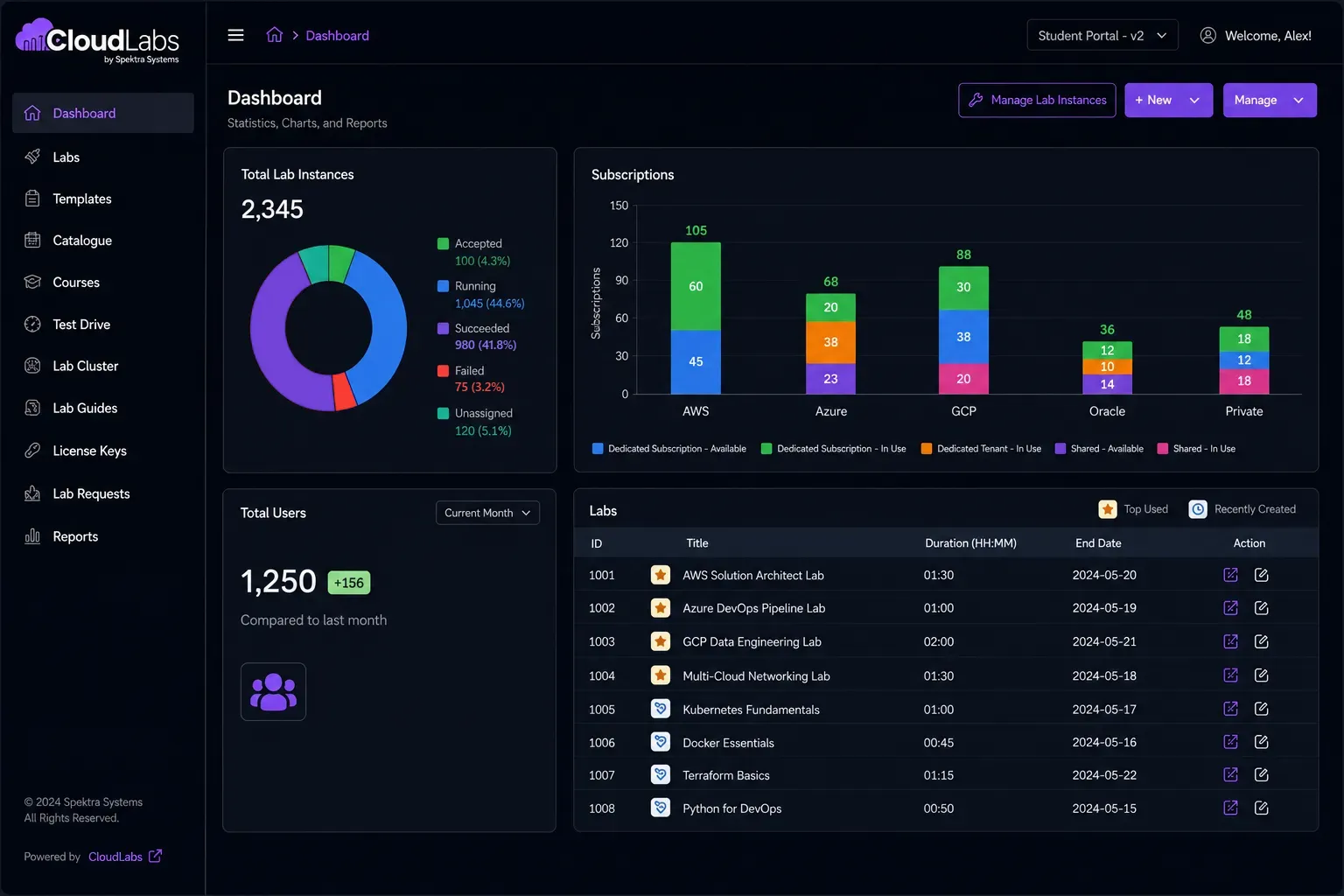
CloudLabs redefining success
Most trusted lab provider for global ISVs, enterprises, educational institutions, & ed-tech companies of all sizes



























- Microsoft
- MIT
- IBM
- Accenture
- Capgemini
- Columbia University
- Tech Mahindra
- Infosys
- University of Washington
- Palo Alto Networks
- Deakin University
- Kyndryl
- Cognizant
- Databricks
- Simplilearn
- Datadog
- Check Point
- Seneca Polytechnic
- Sophos
- Red Hat
- Udacity
- Cloudera
- BCIT
- VMware
- Trainocate
- Axonius
- Netskope
- Barracuda
-
10+
Years of Industry Expertise
-
5M+
Labs Provisioned Worldwide
-
1M+
Participants Upskilled
-
50K+
Events Supported
LMS Ecosystem
Integrate Labs with Your Existing LMS Ecosystem
CloudLabs connects with leading learning management systems and identity providers through native LTI and SSO integrations, helping institutions deliver hands-on learning without disrupting existing workflows.
-
Canvas
LTI 1.1 and 1.3 support, automatic grade pass-back, and deep linking for seamless course integration.
-
Moodle
LTI 1.1 and 1.3 support, custom assignment types, and flexible role mapping.
-
Brightspace (D2L)
LTI 1.3 integration, Outcomes pass-back, and single sign-on support.
-
Blackboard
LTI 1.3 integration with gradebook synchronization and course-section mapping.
-
edX
LTI launch support, certificate handoff, and learner record continuity.
-
Single Sign-On
Integrate with Microsoft Entra ID, Google Workspace, and standard SAML 2.0 or OIDC providers.
Built for the whole team
Why Institutions Choose CloudLabs?
Integrate hands-on learning with your existing LMS ecosystem, without adding complexity for students, faculty, or IT teams.
Eliminate separate student logins and onboarding emails
Automate in-lab grading and eliminate manual administrative overhead
Deliver hands-on learning directly within existing course workflows

Improve learner engagement through contextual lab access
Maintain secure authentication and role-based access controls
Support multi-cloud labs, VM labs, and custom learning environments from a single platform
How It Works
How LMS Integration Works Across Your Institution
From seamless access for students to dedicated administrative controls, CloudLabs connects hands-on learning with the systems you already use.
A Seamless Experience for Students
Students move from coursework to hands-on practice in a single click, without leaving the LMS.

01 Open the Assignment
Launch a live lab directly from a course assignment with identity and course context automatically passed through LTI.
02 Learn by Doing
Access multi-cloud environments, virtual machines, or custom institutional labs from any browser.
03 Complete Real Tasks
Hands-on validations assess actual actions performed in the environment, not multiple-choice quizzes.
04 Grades Sync Automatically
Scores are automatically posted back to the LMS gradebook, eliminating manual grading and spreadsheet exports.

Time to Live
Go Live in Days
LTI integration is a configuration, not a custom development. Most institutions launch with us within days by registering the tool, exchanging keys, and selecting courses. Our experts have deployed integrations across Canvas, Moodle, Brightspace, Blackboard, and other learning platforms, helping institutions avoid common setup challenges and accelerate adoption on scale. Whether you're launching a single course or supporting institution-wide programs, CloudLabs simplifies deployment and ongoing management.
Talk to an EDU Specialist
FAQ
FAQs
What is LTI and why is it important for LMS integration?
Learning Tools Interoperability (LTI) is an industry standard that enables Learning Management Systems to securely integrate with third-party learning platforms. CloudLabs supports LTI 1.1 and LTI 1.3 for a seamless hands-on learning experience.
Which Learning Management Systems does CloudLabs integrate with?
CloudLabs integrates with LTI-compatible Learning Management Systems, including Canvas, Moodle, Blackboard, Brightspace, and other platforms that support LTI 1.1 or LTI 1.3.
Can I launch hands-on labs directly from my LMS?
Yes. CloudLabs enables learners to launch browser-based hands-on labs directly from their LMS, reducing friction and creating a seamless learning experience.
Does CloudLabs support Single Sign-On (SSO) through LMS integration?
Yes. CloudLabs supports secure learner authentication through LTI-based integration, enabling learners to access hands-on labs without separate login workflows where supported by the LMS.
Can I track learner progress and lab completion in my LMS?
Yes. CloudLabs enables organizations to track learner progress, lab participation, and completion through LTI-enabled LMS integrations, helping instructors monitor hands-on learning more effectively.
Why should organizations integrate hands-on labs with their LMS?
Integrating hands-on labs with an LMS provides learners with a unified learning experience while simplifying course management, learner access, and progress tracking from a single platform.
Can CloudLabs LMS integration support instructor-led and self-paced learning?
Yes. CloudLabs supports instructor-led, virtual instructor-led, and self-paced learning programs, allowing organizations to deliver hands-on labs through their existing LMS.
Is CloudLabs LMS integration suitable for enterprises and educational institutions?
Yes. CloudLabs LMS integration is designed for enterprises, educational institutions, training providers, ISVs, and certification providers that need to deliver scalable, hands-on, interactive learning and enablement experiences.