














Skip to content

What brings you to CloudLabs?

We tailor the next page to what matters most for your role. You can change this anytime from the footer.

Azure Lab Services se retira Migra tus laboratorios

Azure Lab Services se retira el 28 de junio de 2027

Migra de Azure Lab Services a CloudLabs VM Labs

La solución de partner recomendada por Microsoft para los usuarios actuales de Azure Lab Services.

“Thanks to CloudLabs, we have successfully delivered Azure-related courses to a substantial number of students in various programs.”
David Trinh, Academic Program Manager, Seneca Polytechnic

CloudLabs Redefining Success Trusted by leading institutions worldwide!

Seneca PolytechnicAustin Community CollegeQueen's UniversityDeakin UniversityUniversity of FloridaToronto Metropolitan UniversityBCITMITColumbia UniversityCarnegie Mellon UniversityNortheastern UniversityUMass BostonBellevue UniversityECPI University

Retiring June 28, 2027 · New sign-ups closed

Azure Lab Services Retires Soon!
Start Planning Early to Avoid Last-Minute Disruption

Get up to $2,000 in Azure credits. Evaluate CloudLabs VM Labs under guided support before committing to a full plan.

Claim Azure credits
  • 01

    $2,000 in Azure credits

    Covers both platform and infrastructure usage.

  • 02

    Enterprise-ready from day one

    No feature gating, no demo or trial limitations.

  • 03

    Expert-guided transition

    Experience a hassle-free transition with our expert guidance.

  • 04

    Exclusively for ALS users

    Available only to organizations transitioning from Azure Lab Services.

Qué incluye tu prueba

Live pilot

AZ-104 · Azure VM labs

Live
  • Cohort A 32 learners In lab
  • Cohort B 24 learners Done

Pilot feedback

4.8 / 5

Managed setup

2h SLA
  • Lab setup
  • Configuration management
  • Automation scripting
  • Priority issue resolution

Your migration engineer

Priority queue · replies in hours

Transition plan

6 weeks
  1. Lab assessment Week 1
  2. Image migration Weeks 2–3
  3. Pilot sessions Week 4
  4. Cutover Week 6

LMS compatibility

2 of 4 checks passed

  • Canvas Passed
  • Moodle Passed
  • Blackboard Check
  • LTI 1.3 Check

Prueba la plataforma con estudiantes reales

Organiza sesiones de laboratorio controladas, realiza pruebas piloto en vivo y recopila comentarios directos y prácticos.

Recibe soporte gestionado de principio a fin

Incluye configuración de laboratorios, gestión de configuraciones, scripting de automatización y resolución prioritaria de incidencias.

Explora cronogramas de migración claros

Nuestros expertos analizarán tu configuración de laboratorio actual y compartirán cronogramas de transición detallados.

Realiza comprobaciones de compatibilidad con el LMS

Verifica la integración entre CloudLabs VM Labs y tu ecosistema de aprendizaje existente.

Side by side

Azure Lab Services vs CloudLabs VM Labs

Compara Azure Lab Services y CloudLabs VM Labs en nueve capacidades críticas. CloudLabs mantiene todas las funciones de ALS y añade las que importan.

Feature Azure Lab Services Se retira en junio de 2027 Recomendado para equipos de formación CloudLabs VM Labs La alternativa de nueva generación
Lab creation time Up to 20 min Instant
Lab publishing required Publish required Admins must publish labs before users can access them, a process that can take up to 1 hour. Instant No publishing step. Labs are live immediately upon creation.
Lab type Limited Persistent only. Flexible Persistent and non-persistent labs.
VMs per lab 1 only Up to 5 Each with unique configurations.
VM SKU flexibility Restricted Curated list only. Customizable Custom vCPU, RAM, GPU, and disk.
User identity Limited Azure AD / Microsoft accounts only. Any identity Azure AD, Google, LinkedIn, and more.
Instructor monitoring Not supported VM Shadow Real-time session overview.
Lab lifecycle tracking Not supported Full control Filter by Active, Expired, or Deleted.
Cost reporting Basic Azure Billing only. Detailed Power BI reports per user and lab.
Puntuación de funciones 2 / 9 compatibles 9 / 9 compatibles

Ve CloudLabs VM Labs en acción

Pricing

Opciones de precios de ejemplo estimadas

Elige entre traer tu propia suscripción de Azure o una suscripción de CloudLabs totalmente gestionada.

Instance size Azure rate per hour, by plan Bring Your Own Subscription $12per user / month Platform fee. Azure usage billed to your subscription. CloudLabs Managed Subscription $6per user / month Platform fee. Azure usage billed through CloudLabs.
General purpose Small 2 core(s), 4 GB RAM, 128GB SSD $0.181/ hr $0.181/ hr
Medium / Standard Medium 4 vCPUs, 8 GB RAM, 256GB SSD $0.357/ hr $0.357/ hr
Large / Standard Large 8 vCPUs, 16 GB RAM, 256GB Standard SSD $0.682/ hr $0.682/ hr
Nested virtualization Medium 4 vCPUs, 16GB RAM, 256GB SSD $0.433/ hr $0.433/ hr
Large 8 vCPUs, 32 GB RAM, 256GB Premium SSD $0.809/ hr $0.809/ hr
GPU Small GPU – Compute 6 vCPUs, 56 GB RAM, 256GB SSD $1.151/ hr $1.151/ hr
Small GPU – Visualization 8 vCPUs, 28 GB RAM, 256GB SSD $0.865/ hr $0.865/ hr
Alternative Small GPU – Visualization 6 vCPUs, 55 GB RAM, 256GB SSD $0.761/ hr $0.761/ hr
Medium GPU – Visualization 12 vCPUs, 112 GB RAM, 256GB SSD $1.723/ hr $1.723/ hr
Medium GPU – Accelerated Visualization 6 vCPUs, 55 GB RAM, 256GB SSD $0.761/ hr $0.761/ hr
Large GPU – Accelerated Visualization 12 vCPUs, 110 GB RAM, 256GB SSD $1.491/ hr $1.491/ hr

*With CloudLabs, you can create custom VM SKUs with different VM size and disk configuration combinations as per your lab requirement and optimize Cloud cost for your needs. Above example pricing uses the same lab SKUs as used by Azure Lab Services.

Funciones de laboratorio

Por Qué los Equipos Están Cambiando a CloudLabs VM Labs

Establecemos el referente del sector con nuestra solución premier, la mejor de su clase, para entornos de aprendizaje basados en la nube.

  • Custom labs, SKUs & templates

    Deploy Windows and Linux labs in minutes with exact vCPU, RAM, GPU and disk specs, and reuse saved templates across labs, semesters and cohorts.

  • Powered by Azure, at scale

    Deploy Lab VMs in the Azure region of your choice and scale to hundreds of machines in minutes while the platform manages the infrastructure.

  • Browser access with lab guides

    Learners open virtual machines in the browser with nothing to install, with step-by-step lab manuals alongside the machine.

  • LMS integration

    LTI 1.1 and LTI 1.3 support for integration with a wide range of LMS platforms across diverse learning ecosystems.

  • Dedicated & shared VMs

    Give each user a dedicated VM, or share one machine among several users with multi-session capabilities.

  • Live instructor monitoring

    VM Shadow lets instructors view any learner's active session in real time to guide, intervene and track progress.

  • Secure, invite-only access

    Invited users get immediate access with a unique per-user password, with no shared reset links, Azure subscription sharing or portal permissions.

  • On-demand, automated cost control

    VMs deploy only when requested, with automatic start and stop schedules, per-user usage quotas and cleanup so labs stay within budget.

Casos de uso

¿Cómo Usan los Equipos Líderes CloudLabs VM Labs?

Desde aulas académicas hasta entornos sandbox empresariales: una plataforma creada para cada escenario de aprendizaje práctico.

Students working together on laptops in a classroom

Academic Labs & Classroom Learning

Set up virtual lab environments for courses, assignments, and semester-long programs. Give every student access to the tools and resources they need to complete their courses.

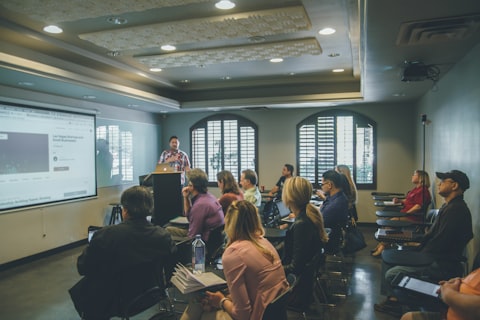
Instructor presenting to a room of learners

Instructor-Led Training & Certification Programs

Prepare virtual machines with the required software and content for workshops, bootcamps, and certification training. Give learners a consistent environment from day one.

Developers collaborating at a hackathon table

Hackathons & Technical Events

Run hands-on events with virtual machines that scale to support hundreds of participants. Provide attendees with immediate access to the environments they need.

Analytics dashboard on a laptop screen

Product Demos & Customer Trials

Share invitation-only lab environments with prospects and customers. Let users explore your product through guided, hands-on experiences before deployment.

Team reviewing a plan together around a table

Partner Enablement Programs

Provide partners with dedicated environments for training, solution validation, and technical readiness. Help them build confidence through practical experience.

Rows of server racks in a data centre

Sandbox Environments & Proof of Concepts

Provision Windows or Linux virtual machines for experimentation, testing, and proof-of-concept projects. Explore new ideas without affecting production systems.

  • 10+

    Años de experiencia en el sector

  • 5M+

    Laboratorios aprovisionados en todo el mundo

  • 1M+

    Participantes capacitados

  • 50K+

    Eventos respaldados

Rutas de transición de CloudLabs VM Labs

Empieza de cero con un nuevo programa de laboratorio o migra desde tu configuración actual de Azure Lab Services. Ambas rutas son totalmente compatibles.

  1. Comienza

    Crea tu cuenta de CloudLabs y comienza.

  2. Crea imágenes de VM

    Usa el portal de CloudLabs para crear y probar tus imágenes de VM.

  3. Configura laboratorios

    Configura tus laboratorios con nuevos recursos y ajustes.

  4. Publica

    Implementa tus laboratorios recién creados, listos para uso y distribución inmediatos.

Rutas de Transición de CloudLabs VM Labs
Empezar de cero Migrar laboratorios existentes
  1. Comienza

    Crea tu cuenta de CloudLabs para iniciar tu proceso de migración.

  2. Migra imágenes de VM

    Usa el script de migración de CloudLabs para migrar o replicar tus imágenes de VM.

  3. Migra laboratorios

    Migra laboratorios desde tu Lab Account y Lab Plan existentes con la herramienta de migración.

  4. Publica

    Los laboratorios migrados están listos para su implementación y distribución.

Support

Opciones de nivel de soporte

Mejora tu experiencia de soporte eligiendo entre una variedad de opciones de nivel personalizables adaptadas a los requisitos de tu negocio.

El soporte estándar está disponible para todos los clientes sin costo adicional.

  • Edición Estándar

    Incluida para todos los clientes

    Métodos de contacto
    Correo electrónico
    Tiempo de primera respuesta
    4 horas
    Disponibilidad
    24 / 7
    Email support
  • Popular

    Edición Premium

    Soporte de Edición Estándar+

    Métodos de contacto
    Correo electrónico, chat en vivo
    Tiempo de primera respuesta
    15 minutos
    Disponibilidad
    24 / 7
    Start live chat
  • Enterprise

    Edición Enterprise

    Soporte de Edición Premium+

    Métodos de contacto
    Contacto personalizado
    Tiempo de primera respuesta
    SLA personalizados
    Disponibilidad
    24 / 7
    Talk to us

24×7 Globally

Global Support Options

Regional data residency and multilingual support built for global teams.

Regional delivery

Choose where your labs run.
  • North America: US and Canada delivery hubs
  • EMEA: Europe, Middle East and Africa coverage
  • APAC: Asia-Pacific and Australia delivery
Learner working through a lab on a laptop

Select your preferred region for compliance and control over VM location.

Multilingual support

Support in your language, around the clock.

Support coverage

Availability
24×7
Data residency
Regional
Regions
North America, EMEA, APAC
Languages
7 supported

Access support in English, Español, Français, Deutsch, Italiano, 日本語 and 한국어 for a truly inclusive and seamless global experience.

Client Stories

“We are incredibly pleased with our experience using CloudLabs by Spektra Systems. Their responsiveness and support have been nothing short of outstanding, and they demonstrated remarkable flexibility in accommodating our unique processes.”
David Trinh
Academic Program Manager, Seneca Polytechnic
“Our company has been working with CloudLabs for three years. The service allowed us to train our teams and partners over different products and cloud platforms, by provisioning timely labs with the smoothest student experience.”
Tal Ein-Habar
Cloud Security Expert, Check Point
“CloudLabs has been our go-to platform for any hands-on lab experiences for customer and partner technical trainings. It eliminates the time and complexity of setting up labs and enables a smooth experience for all participants.”
Håkan Forsberg
Cloud Solution Architect, Microsoft
“Thank you for your exceptional support and service for the numerous workshops and hackathons we planned together. You are knowledgeable, reliable, and really great to work with.”
Nina Sui
Sr. Product Marketing Manager, Microsoft
“I partnered with Spektra Systems to host a large-scale virtual hackathon with an aggressive timeline and nothing more than an idea. They structured the event and exceeded my expectations by going above and beyond what was asked.”
Coree Mahoney
Azure Program Manager, Microsoft
“The lab environments provided by Spektra Systems are critical to our events. Spektra makes it easy for our participants and coaches to get access to Azure and Power Platform capabilities.”
Jeff Fatic
Director, HLS Emerging Opportunities, Microsoft
“Your team has been crucial in providing in-time support during the hackathon, solving and assisting participants. We recommend this model for every engagement where the labs are just a day long.”
Srikanth Dharmana
Program Manager, Global Channel Partner Solutions, Microsoft

FAQ

Preguntas frecuentes sobre la migración de ALS

¿Cuál es la mejor alternativa a Azure Lab Services?

CloudLabs VM Labs, la alternativa a Azure Lab Services recomendada por Microsoft, ofrece todas las funciones más valoradas de ALS y añade más. Regístrate para una prueba gratuita y explora la plataforma en profundidad. Los usuarios que cumplan los requisitos pueden recibir hasta 2.000 USD en créditos de Azure durante el periodo de prueba, disponibles exclusivamente al optar por una suscripción de Azure gestionada por CloudLabs para la prueba. Los créditos de Azure se aplican solo al periodo de prueba y no se extienden a la migración completa.

¿Cuánto tarda normalmente migrar desde Azure Lab Services?

Los cronogramas de migración dependen del número de laboratorios, las configuraciones de VM y la complejidad de los cursos. Nuestros expertos ofrecen soporte en tiempo real durante todo el proceso de migración para garantizar una experiencia fluida.

¿Pueden los usuarios actuales de Azure Lab Services migrar a CloudLabs VM Labs?

Sí. Las organizaciones que actualmente usan Azure Lab Services pueden migrar sus lab plans, lab accounts y configuraciones de VM existentes a CloudLabs VM Labs mediante nuestros scripts y herramientas de migración con orientación experta. CloudLabs ofrece 2.000 USD en créditos de Azure a los usuarios de Azure Lab Services que cumplan los requisitos para empezar.

What is the Microsoft-recommended alternative to Azure Lab Services?

CloudLabs VM Labs is listed in the [Microsoft Azure Lab Services retirement guide](https://learn.microsoft.com/en-us/azure/lab-services/retirement-guide) as a recommended partner solution, helping organizations transition from Azure Lab Services to a fully managed hands-on lab platform.

Inicia tu prueba gratuita

Configura CloudLabs VM Labs y ejecuta tus primeros laboratorios antes de que Azure Lab Services se retire.

  • Acceso habilitado en 24 horas

    Tu prueba se configura por ti: crea hasta 5 laboratorios con 3 implementaciones por laboratorio.

  • Hasta 2.000 USD en créditos de Azure

    Disponible para migraciones de Azure Lab Services que cumplan los requisitos.

  • Herramientas de migración y orientación experta

    Mueve tus lab plans, lab accounts e imágenes de VM con la ayuda de nuestro equipo.

  • Comprobaciones de compatibilidad con el LMS

    Verifica la integración entre CloudLabs VM Labs y tu ecosistema de aprendizaje existente.

Solicita tu prueba

Envía el formulario y tu acceso se habilitará en 24 horas.

By clicking Submit, I agree to the use of my personal data in accordance with the Spektra Systems Privacy Notice. Spektra Systems will not sell, trade, lease, or rent your personal data to third parties. The Google Privacy Policy and Terms of Service apply.

Solicitar una demo

Una llamada de 30 minutos por Microsoft Teams con un experto de CloudLabs. El enlace llega con su invitación de calendario.