Spektra Systems (www.spektrasystems.com) and its affiliates, including cloudlabs.ai, use cookies and similar technologies to recognise you when you visit our websites. This notice explains what these technologies are, why we use them, and your rights to control our use of them. We do not sell your data.
Incluido en la guía de retirada de Azure Lab Services de Microsoft
Migra Sin Complicaciones de Azure Lab Services a CloudLabs VM Labs
Máquinas virtuales preconfiguradas para formación en el aula, hackathons y laboratorios prácticos a cualquier escala. Usted define la experiencia de laboratorio; nosotros gestionamos todo, desde la implementación hasta la infraestructura.
The Microsoft-Recommended Azure Lab Services Alternative
“Gracias a CloudLabs, hemos impartido con éxito cursos relacionados con Azure a un número considerable de estudiantes en diversos programas.”
David Trinh, Gerente de Programas Académicos, Seneca Polytechnic
Search labs, learners, requests⌘K
DK
Lab launches
1,284 +12.4%
Active learners
642 +8.1%
Avg. session
1h 42m +3.0%
Lab activity
Launches and active learners, last 6 days
7d30d90d
Lab launches
Active learners
121314151617
Lab requests
4 courses this week
Course
Learners
Cloud
Progress
Status
Azure Administrator (AZ-104)
128
Azure
72%
Live
Kubernetes Fundamentals
96
GCP
58%
Live
Cyber Range: Blue Team
42
AWS
0%
Scheduled
Data Science with Jupyter
64
Azure
91%
Live
CloudLabs Redefiniendo el Éxito ¡La confianza de las principales instituciones de todo el mundo!
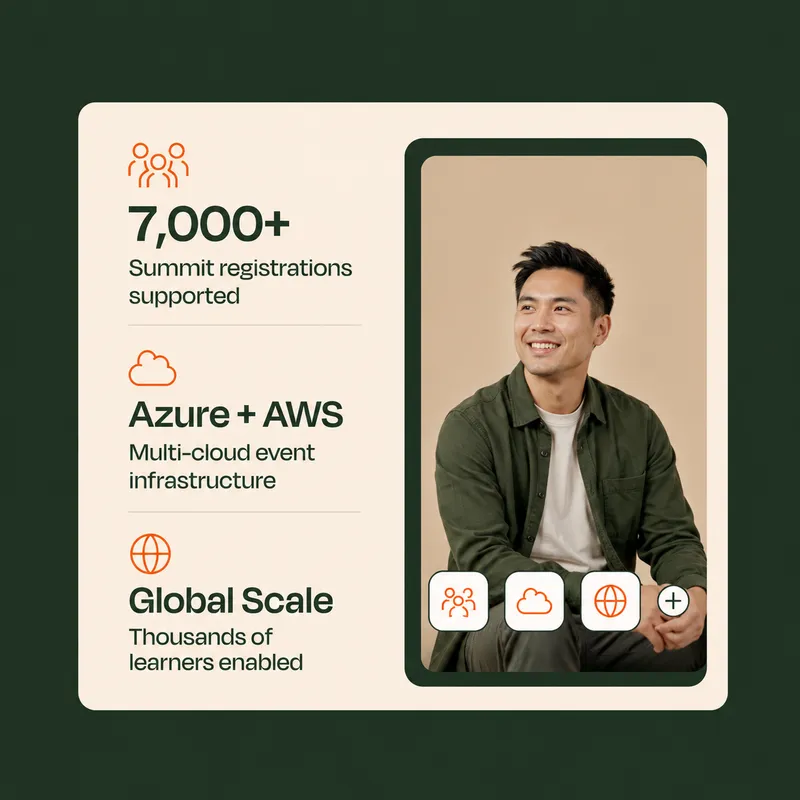
10+
Años de experiencia en el sector
5M+
Laboratorios aprovisionados en todo el mundo
1M+
Participantes capacitados
50K+
Eventos respaldados
Why CloudLabs for virtual machine labs?
Live pilot
AZ-104 · Azure VM labs
Live
Cohort A32 learnersIn lab
Cohort B24 learnersDone
Pilot feedback
4.8 / 5
Managed setup
2h SLA
Lab setup
Configuration management
Automation scripting
Priority issue resolution
Your migration engineer
Priority queue · replies in hours
Transition plan
6 weeks
Lab assessmentWeek 1
Image migrationWeeks 2–3
Pilot sessionsWeek 4
CutoverWeek 6
LMS compatibility
2 of 4 checks passed
CanvasPassed
MoodlePassed
BlackboardCheck
LTI 1.3Check
Purpose-built environments
Create standardized VM environments with the tools and configurations required for each scenario.
Hands-on access
Let users work directly inside their assigned environments from the browser.
Centralized administration
Manage labs, users, schedules, deployments, and lifecycle operations from one place.
Program-level control
Monitor usage, optimize cloud consumption, and manage labs across courses, teams, events, or customer programs.
Case Studies
Delivering Measurable Impact
See how organizations across industries use CloudLabs to accelerate adoption, deliver hands-on learning, enable customers and employees, and achieve measurable business outcomes.
Everything you need to build, deliver, and manage VM labs at scale
Build the lab you need, deliver it to learners anywhere, and keep every session under control.
Build
Customized labs on Azure
Launch Windows and Linux lab environments in minutes, configured for your training, testing or enablement needs, in the Azure region of your choice for performance and data residency.
Flexible VM sizes
Choose custom vCPU, RAM, GPU and disk combinations, including nested virtualization and GPU options.
Multi-VM labs
Give each user up to 5 VMs per lab, each with its own configuration, for networking and multi-tier scenarios.
Persistent or non-persistent labs
Keep a user's work across sessions, or reset to a clean environment every time.
Deliver
Browser access with any identity
Users open their VMs in any browser, with no client install or VPN, signing in with Microsoft Entra ID, Google, LinkedIn and other identity providers.
Dedicated and shared VMs
Assign a dedicated VM to each user, or provide shared multi-session environments for group work.
Inbuilt lab manual
Show step-by-step instructions inside the lab, so users can follow exercises with confidence.
LMS integration
Launch labs from Moodle, Canvas and other LMS platforms through LTI 1.1 and 1.3.
Manage
Shadow VM
Connect to any user's environment in real time to guide, monitor or troubleshoot.
Cost optimization and reporting
Control consumption with usage limits, scheduled operating hours and automatic shutdown of idle VMs, and track spend per user and per lab with detailed Power BI reports.
Image optimization
Use AI-based fleet analysis to optimize VM images at scale. Ephemeral OS helps reduce separately billed OS disk storage costs by up to 65%.
Automation
Reduce manual work with lab cloning, lifecycle tracking (Active, Expired, Deleted), REST APIs, and PowerShell support.
Resumen (PDF)
Resumen de VM Labs
Las capacidades clave en una sola página, listas para compartir con tu equipo y tu dirección.
Desde aulas académicas hasta entornos sandbox empresariales: una plataforma creada para cada escenario de aprendizaje práctico.
Laboratorios Académicos y Aprendizaje en el Aula
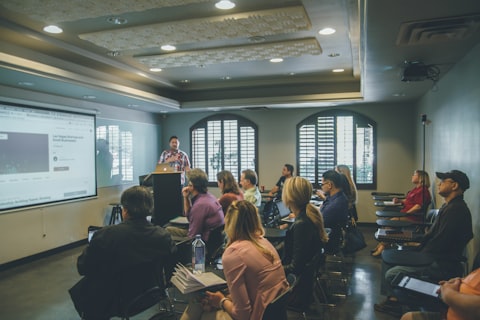
Configura entornos de laboratorio virtual para cursos, tareas y programas de un semestre. Da a cada estudiante acceso a las herramientas y recursos que necesita para completar sus cursos.
Formación Dirigida por Instructor y Programas de Certificación
Prepara máquinas virtuales con el software y el contenido necesarios para talleres, bootcamps y formación de certificación. Ofrece a los estudiantes un entorno coherente desde el primer día.
Hackathons y Eventos Técnicos
Organiza eventos prácticos con máquinas virtuales que escalan para dar soporte a cientos de participantes. Ofrece a los asistentes acceso inmediato a los entornos que necesitan.
Demos de Producto y Pruebas de Clientes
Comparte entornos de laboratorio solo por invitación con clientes potenciales y clientes. Deja que los usuarios exploren tu producto mediante experiencias prácticas guiadas antes de la implementación.
Programas de Habilitación de Partners
Proporciona a los partners entornos dedicados para formación, validación de soluciones y preparación técnica. Ayúdales a ganar confianza con experiencia práctica.
Entornos Sandbox y Pruebas de Concepto
Aprovisiona máquinas virtuales Windows o Linux para experimentación, pruebas y proyectos de prueba de concepto. Explora nuevas ideas sin afectar a los sistemas de producción.
Norteamérica Centros de entrega en EE. UU. y Canadá
EMEA Cobertura en Europa, Oriente Medio y África
APAC Entrega en Asia-Pacífico y Australia
Norteamérica: Centros de entrega en EE. UU. y Canadá
EMEA: Cobertura en Europa, Oriente Medio y África
APAC: Entrega en Asia-Pacífico y Australia
Learner working through a lab on a laptop
Selecciona tu región preferida para cumplir la normativa y controlar la ubicación de tus VM.
Soporte multilingüe
Soporte en tu idioma, a cualquier hora.
Cobertura de soporte
Disponibilidad
24×7
Residencia de datos
Regional
Regiones
Norteamérica, EMEA, APAC
Idiomas
7 disponibles
Accede a soporte en English, Español, Français, Deutsch, Italiano, 日本語 y 한국어 para una experiencia global verdaderamente inclusiva y fluida.
Pay for what you use
Use your existing Azure subscription or let CloudLabs manage the Azure infrastructure for you. CloudLabs supports flexible deployment and purchasing models so you can align VM lab delivery with your organization's cloud strategy.
Planifica tu Migración desde Azure Lab Services con CloudLabs VM Labs
A medida que Azure Lab Services se acerca a su retirada, explora guías de migración, buenas prácticas, estrategias de optimización de costos e información de expertos para ayudarte a hacer la transición y escalar laboratorios prácticos con confianza.
“We are incredibly pleased with our experience using CloudLabs by Spektra Systems. Their responsiveness and support have been nothing short of outstanding, and they demonstrated remarkable flexibility in accommodating our unique processes.”
David Trinh
Academic Program Manager, Seneca Polytechnic
“Our company has been working with CloudLabs for three years. The service allowed us to train our teams and partners over different products and cloud platforms, by provisioning timely labs with the smoothest student experience.”
Tal Ein-Habar
Cloud Security Expert, Check Point
“CloudLabs has been our go-to platform for any hands-on lab experiences for customer and partner technical trainings. It eliminates the time and complexity of setting up labs and enables a smooth experience for all participants.”
Håkan Forsberg
Cloud Solution Architect, Microsoft
“Thank you for your exceptional support and service for the numerous workshops and hackathons we planned together. You are knowledgeable, reliable, and really great to work with.”
Nina Sui
Sr. Product Marketing Manager, Microsoft
“We are incredibly pleased with our experience using CloudLabs by Spektra Systems. Their responsiveness and support have been nothing short of outstanding, and they demonstrated remarkable flexibility in accommodating our unique processes.”
David Trinh
Academic Program Manager, Seneca Polytechnic
“Our company has been working with CloudLabs for three years. The service allowed us to train our teams and partners over different products and cloud platforms, by provisioning timely labs with the smoothest student experience.”
Tal Ein-Habar
Cloud Security Expert, Check Point
“CloudLabs has been our go-to platform for any hands-on lab experiences for customer and partner technical trainings. It eliminates the time and complexity of setting up labs and enables a smooth experience for all participants.”
Håkan Forsberg
Cloud Solution Architect, Microsoft
“Thank you for your exceptional support and service for the numerous workshops and hackathons we planned together. You are knowledgeable, reliable, and really great to work with.”
Nina Sui
Sr. Product Marketing Manager, Microsoft
“We are incredibly pleased with our experience using CloudLabs by Spektra Systems. Their responsiveness and support have been nothing short of outstanding, and they demonstrated remarkable flexibility in accommodating our unique processes.”
David Trinh
Academic Program Manager, Seneca Polytechnic
“Our company has been working with CloudLabs for three years. The service allowed us to train our teams and partners over different products and cloud platforms, by provisioning timely labs with the smoothest student experience.”
Tal Ein-Habar
Cloud Security Expert, Check Point
“CloudLabs has been our go-to platform for any hands-on lab experiences for customer and partner technical trainings. It eliminates the time and complexity of setting up labs and enables a smooth experience for all participants.”
Håkan Forsberg
Cloud Solution Architect, Microsoft
“Thank you for your exceptional support and service for the numerous workshops and hackathons we planned together. You are knowledgeable, reliable, and really great to work with.”
Nina Sui
Sr. Product Marketing Manager, Microsoft
“I partnered with Spektra Systems to host a large-scale virtual hackathon with an aggressive timeline and nothing more than an idea. They structured the event and exceeded my expectations by going above and beyond what was asked.”
Coree Mahoney
Azure Program Manager, Microsoft
“The lab environments provided by Spektra Systems are critical to our events. Spektra makes it easy for our participants and coaches to get access to Azure and Power Platform capabilities.”
Jeff Fatic
Director, HLS Emerging Opportunities, Microsoft
“Your team has been crucial in providing in-time support during the hackathon, solving and assisting participants. We recommend this model for every engagement where the labs are just a day long.”
Srikanth Dharmana
Program Manager, Global Channel Partner Solutions, Microsoft
“I partnered with Spektra Systems to host a large-scale virtual hackathon with an aggressive timeline and nothing more than an idea. They structured the event and exceeded my expectations by going above and beyond what was asked.”
Coree Mahoney
Azure Program Manager, Microsoft
“The lab environments provided by Spektra Systems are critical to our events. Spektra makes it easy for our participants and coaches to get access to Azure and Power Platform capabilities.”
Jeff Fatic
Director, HLS Emerging Opportunities, Microsoft
“Your team has been crucial in providing in-time support during the hackathon, solving and assisting participants. We recommend this model for every engagement where the labs are just a day long.”
Srikanth Dharmana
Program Manager, Global Channel Partner Solutions, Microsoft
“I partnered with Spektra Systems to host a large-scale virtual hackathon with an aggressive timeline and nothing more than an idea. They structured the event and exceeded my expectations by going above and beyond what was asked.”
Coree Mahoney
Azure Program Manager, Microsoft
“The lab environments provided by Spektra Systems are critical to our events. Spektra makes it easy for our participants and coaches to get access to Azure and Power Platform capabilities.”
Jeff Fatic
Director, HLS Emerging Opportunities, Microsoft
“Your team has been crucial in providing in-time support during the hackathon, solving and assisting participants. We recommend this model for every engagement where the labs are just a day long.”
Srikanth Dharmana
Program Manager, Global Channel Partner Solutions, Microsoft
Preguntas frecuentes sobre VM Labs
Preguntas Frecuentes
01¿Quién usa VM Labs?
VM Labs es utilizado por instituciones educativas, empresas, proveedores de formación y compañías tecnológicas que necesitan entornos prácticos escalables para el aprendizaje, la certificación, la incorporación, las pruebas y la habilitación.
02¿Puede CloudLabs ayudarnos a migrar de Azure Lab Services a CloudLabs VM Labs?
Sí. Los usuarios actuales de Azure Lab Services confían en CloudLabs, que ofrece herramientas de migración dedicadas, orientación de implementación gestionada de principio a fin y soporte prioritario durante todo el proceso de transición, ayudando a preservar los entornos de laboratorio y las experiencias de los estudiantes existentes.
03¿Con qué rapidez podemos lanzar VM Labs?
La mayoría de las organizaciones pueden empezar en días en lugar de semanas. CloudLabs proporciona plantillas de laboratorio preconfiguradas, asistencia de implementación y soporte de migración para ayudarte a lanzar entornos prácticos de forma rápida y eficiente.
04¿Puede VM Labs integrarse con nuestro LMS?
Sí. VM Labs admite integraciones nativas LTI 1.1 y LTI 1.3 con los principales sistemas de gestión del aprendizaje, incluidos Canvas, Moodle y otras plataformas compatibles con LTI.
05Can VM Labs integrate with our LMS?
Yes. VM Labs supports LTI 1.1 and LTI 1.3, so you can launch labs from Canvas, Moodle and other LTI-compatible platforms.
06Can I use my own Azure subscription?
Yes. You can bring your own Azure subscription or use a CloudLabs-managed one.
07How quickly can we launch?
Most organizations launch their first labs within days, using preconfigured templates and deployment help from our team.
08We use Azure Lab Services today. Can VM Labs replace it?
Yes. VM Labs is a recommended alternative to Azure Lab Services, with migration tooling and expert support.
 The Microsoft-Recommended Azure Lab Services Alternative















.DSjdzFJG_ZSVcdN.webp)