
















Skip to content

What brings you to CloudLabs?

We tailor the next page to what matters most for your role. You can change this anytime from the footer.

Azure Lab Services endet Labs migrieren

Azure Lab Services wird am 28. Juni 2027 eingestellt

Migrieren Sie von Azure Lab Services zu CloudLabs VM Labs

Die von Microsoft empfohlene Partnerlösung für bestehende Azure Lab Services-Nutzer.

“Thanks to CloudLabs, we have successfully delivered Azure-related courses to a substantial number of students in various programs.”
David Trinh, Academic Program Manager, Seneca Polytechnic

CloudLabs Redefining Success Trusted by leading institutions worldwide!

Seneca PolytechnicAustin Community CollegeQueen's UniversityDeakin UniversityUniversity of FloridaToronto Metropolitan UniversityBCITMITColumbia UniversityCarnegie Mellon UniversityNortheastern UniversityUMass BostonBellevue UniversityECPI University

Retiring June 28, 2027 · New sign-ups closed

Azure Lab Services Retires Soon!
Start Planning Early to Avoid Last-Minute Disruption

Get up to $2,000 in Azure credits. Evaluate CloudLabs VM Labs under guided support before committing to a full plan.

Claim Azure credits
  • 01

    $2,000 in Azure credits

    Covers both platform and infrastructure usage.

  • 02

    Enterprise-ready from day one

    No feature gating, no demo or trial limitations.

  • 03

    Expert-guided transition

    Experience a hassle-free transition with our expert guidance.

  • 04

    Exclusively for ALS users

    Available only to organizations transitioning from Azure Lab Services.

Was in Ihrer Testversion enthalten ist

Live pilot

AZ-104 · Azure VM labs

Live
  • Cohort A 32 learners In lab
  • Cohort B 24 learners Done

Pilot feedback

4.8 / 5

Managed setup

2h SLA
  • Lab setup
  • Configuration management
  • Automation scripting
  • Priority issue resolution

Your migration engineer

Priority queue · replies in hours

Transition plan

6 weeks
  1. Lab assessment Week 1
  2. Image migration Weeks 2–3
  3. Pilot sessions Week 4
  4. Cutover Week 6

LMS compatibility

2 of 4 checks passed

  • Canvas Passed
  • Moodle Passed
  • Blackboard Check
  • LTI 1.3 Check

Testen Sie die Plattform mit echten Lernenden

Führen Sie kontrollierte Lab-Sitzungen und Live-Pilottests durch und sammeln Sie direktes, umsetzbares Feedback.

Erhalten Sie durchgängig verwalteten Support

Lab-Einrichtung, Konfigurationsmanagement, Automatisierungs-Scripting und priorisierte Problemlösung inklusive.

Erkunden Sie klare Migrationszeitpläne

Unsere Experten analysieren Ihr aktuelles Lab-Setup und teilen detaillierte Übergangszeitpläne.

Führen Sie LMS-Kompatibilitätsprüfungen durch

Überprüfen Sie die Integration zwischen CloudLabs VM Labs und Ihrem bestehenden Lernökosystem.

Side by side

Azure Lab Services vs CloudLabs VM Labs

Vergleichen Sie Azure Lab Services und CloudLabs VM Labs anhand von neun kritischen Funktionen. CloudLabs übernimmt jede ALS-Funktion und ergänzt die, die wichtig sind.

Feature Azure Lab Services Einstellung im Juni 2027 Empfohlen für Schulungsteams CloudLabs VM Labs Die Alternative der nächsten Generation
Lab creation time Up to 20 min Instant
Lab publishing required Publish required Admins must publish labs before users can access them, a process that can take up to 1 hour. Instant No publishing step. Labs are live immediately upon creation.
Lab type Limited Persistent only. Flexible Persistent and non-persistent labs.
VMs per lab 1 only Up to 5 Each with unique configurations.
VM SKU flexibility Restricted Curated list only. Customizable Custom vCPU, RAM, GPU, and disk.
User identity Limited Azure AD / Microsoft accounts only. Any identity Azure AD, Google, LinkedIn, and more.
Instructor monitoring Not supported VM Shadow Real-time session overview.
Lab lifecycle tracking Not supported Full control Filter by Active, Expired, or Deleted.
Cost reporting Basic Azure Billing only. Detailed Power BI reports per user and lab.
Funktionsbewertung 2 / 9 unterstützt 9 / 9 unterstützt

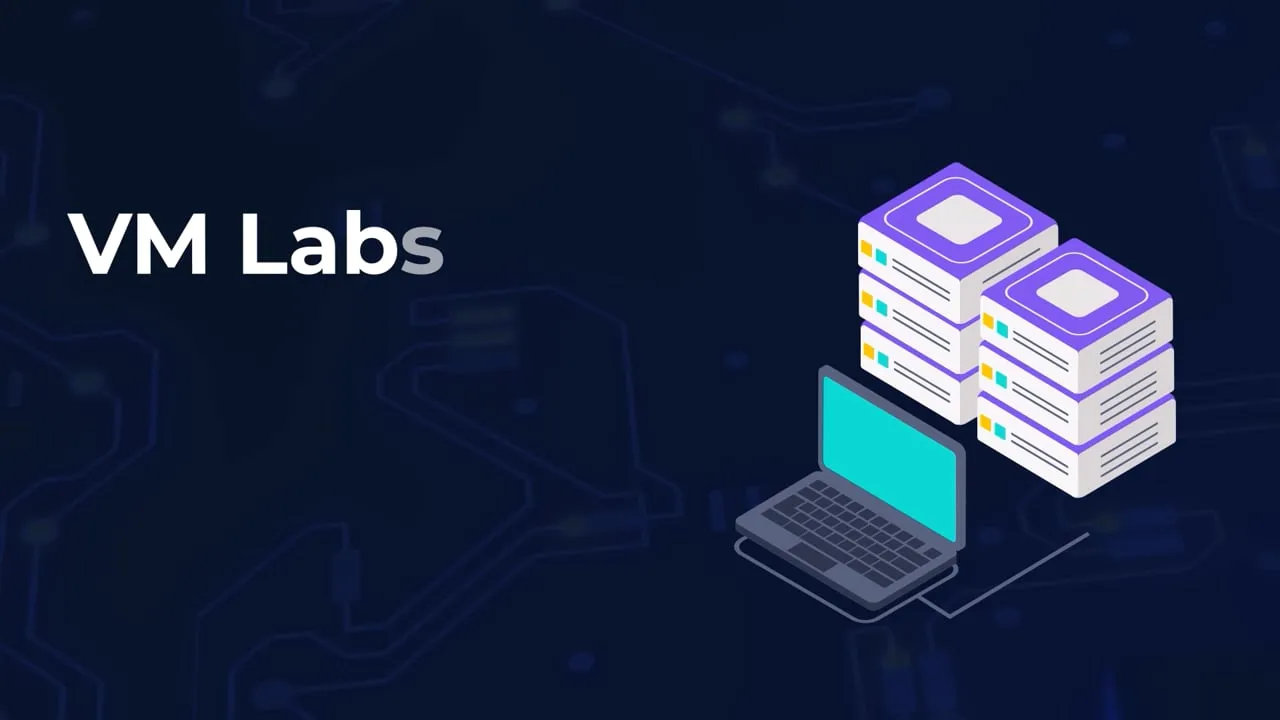
CloudLabs VM Labs in Aktion sehen

Pricing

Geschätzte Beispiel-Preisoptionen

Wählen Sie zwischen der Nutzung Ihres eigenen Azure-Abonnements oder einem vollständig verwalteten CloudLabs-Abonnement.

Instance size Azure rate per hour, by plan Bring Your Own Subscription $12per user / month Platform fee. Azure usage billed to your subscription. CloudLabs Managed Subscription $6per user / month Platform fee. Azure usage billed through CloudLabs.
General purpose Small 2 core(s), 4 GB RAM, 128GB SSD $0.181/ hr $0.181/ hr
Medium / Standard Medium 4 vCPUs, 8 GB RAM, 256GB SSD $0.357/ hr $0.357/ hr
Large / Standard Large 8 vCPUs, 16 GB RAM, 256GB Standard SSD $0.682/ hr $0.682/ hr
Nested virtualization Medium 4 vCPUs, 16GB RAM, 256GB SSD $0.433/ hr $0.433/ hr
Large 8 vCPUs, 32 GB RAM, 256GB Premium SSD $0.809/ hr $0.809/ hr
GPU Small GPU – Compute 6 vCPUs, 56 GB RAM, 256GB SSD $1.151/ hr $1.151/ hr
Small GPU – Visualization 8 vCPUs, 28 GB RAM, 256GB SSD $0.865/ hr $0.865/ hr
Alternative Small GPU – Visualization 6 vCPUs, 55 GB RAM, 256GB SSD $0.761/ hr $0.761/ hr
Medium GPU – Visualization 12 vCPUs, 112 GB RAM, 256GB SSD $1.723/ hr $1.723/ hr
Medium GPU – Accelerated Visualization 6 vCPUs, 55 GB RAM, 256GB SSD $0.761/ hr $0.761/ hr
Large GPU – Accelerated Visualization 12 vCPUs, 110 GB RAM, 256GB SSD $1.491/ hr $1.491/ hr

*With CloudLabs, you can create custom VM SKUs with different VM size and disk configuration combinations as per your lab requirement and optimize Cloud cost for your needs. Above example pricing uses the same lab SKUs as used by Azure Lab Services.

Lab-Funktionen

Warum Teams zu CloudLabs VM Labs Wechseln

Wir setzen mit unserer erstklassigen Premium-Lösung für cloudbasierte Lernumgebungen den Maßstab der Branche.

  • Custom labs, SKUs & templates

    Deploy Windows and Linux labs in minutes with exact vCPU, RAM, GPU and disk specs, and reuse saved templates across labs, semesters and cohorts.

  • Powered by Azure, at scale

    Deploy Lab VMs in the Azure region of your choice and scale to hundreds of machines in minutes while the platform manages the infrastructure.

  • Browser access with lab guides

    Learners open virtual machines in the browser with nothing to install, with step-by-step lab manuals alongside the machine.

  • LMS integration

    LTI 1.1 and LTI 1.3 support for integration with a wide range of LMS platforms across diverse learning ecosystems.

  • Dedicated & shared VMs

    Give each user a dedicated VM, or share one machine among several users with multi-session capabilities.

  • Live instructor monitoring

    VM Shadow lets instructors view any learner's active session in real time to guide, intervene and track progress.

  • Secure, invite-only access

    Invited users get immediate access with a unique per-user password, with no shared reset links, Azure subscription sharing or portal permissions.

  • On-demand, automated cost control

    VMs deploy only when requested, with automatic start and stop schedules, per-user usage quotas and cleanup so labs stay within budget.

Anwendungsfälle

Wie Führende Teams CloudLabs VM Labs Nutzen

Von akademischen Klassenzimmern bis zu Unternehmens-Sandboxes – eine Plattform für jedes praxisnahe Lernszenario.

Students working together on laptops in a classroom

Academic Labs & Classroom Learning

Set up virtual lab environments for courses, assignments, and semester-long programs. Give every student access to the tools and resources they need to complete their courses.

Instructor presenting to a room of learners

Instructor-Led Training & Certification Programs

Prepare virtual machines with the required software and content for workshops, bootcamps, and certification training. Give learners a consistent environment from day one.

Developers collaborating at a hackathon table

Hackathons & Technical Events

Run hands-on events with virtual machines that scale to support hundreds of participants. Provide attendees with immediate access to the environments they need.

Analytics dashboard on a laptop screen

Product Demos & Customer Trials

Share invitation-only lab environments with prospects and customers. Let users explore your product through guided, hands-on experiences before deployment.

Team reviewing a plan together around a table

Partner Enablement Programs

Provide partners with dedicated environments for training, solution validation, and technical readiness. Help them build confidence through practical experience.

Rows of server racks in a data centre

Sandbox Environments & Proof of Concepts

Provision Windows or Linux virtual machines for experimentation, testing, and proof-of-concept projects. Explore new ideas without affecting production systems.

  • 10+

    Jahre Branchenerfahrung

  • 5M+

    Weltweit bereitgestellte Labs

  • 1M+

    Weitergebildete Teilnehmer

  • 50K+

    Unterstützte Events

CloudLabs VM Labs- Übergangswege

Beginnen Sie neu mit einem neuen Lab-Programm oder migrieren Sie von Ihrem bestehenden Azure Lab Services-Setup. Beide Wege werden vollständig unterstützt.

  1. Loslegen

    Erstellen Sie Ihr CloudLabs-Konto und legen Sie los.

  2. VM-Images erstellen

    Nutzen Sie das CloudLabs-Portal, um Ihre VM-Images zu erstellen und zu testen.

  3. Labs einrichten

    Konfigurieren Sie Ihre Labs mit neuen Ressourcen und Einstellungen.

  4. Go-Live

    Stellen Sie Ihre neu erstellten Labs bereit – sofort einsatzbereit und verteilbar.

CloudLabs VM Labs-Übergangswege
Neu beginnen Bestehende Labs migrieren
  1. Loslegen

    Erstellen Sie Ihr CloudLabs-Konto, um Ihre Migration zu starten.

  2. VM-Images migrieren

    Nutzen Sie das CloudLabs-Migrationsskript, um Ihre VM-Images zu migrieren oder zu replizieren.

  3. Labs migrieren

    Migrieren Sie Labs aus Ihrem bestehenden Lab Account und Lab Plan mit dem Migrationstool.

  4. Go-Live

    Migrierte Labs sind bereit für Bereitstellung und Verteilung.

Support

Support-Stufenoptionen

Verbessern Sie Ihr Support-Erlebnis, indem Sie aus einer Reihe anpassbarer Stufenoptionen wählen, die auf Ihre Geschäftsanforderungen zugeschnitten sind.

Standard-Support ist für alle Kunden ohne zusätzliche Kosten verfügbar.

  • Standard Edition

    Für alle Kunden inklusive

    Kontaktmethoden
    E-Mail
    Erste Reaktionszeit
    4 Stunden
    Verfügbarkeit
    24 / 7
    Email support
  • Beliebt

    Premium Edition

    Standard Edition Support+

    Kontaktmethoden
    E-Mail, Live-Chat
    Erste Reaktionszeit
    15 Minuten
    Verfügbarkeit
    24 / 7
    Start live chat
  • Enterprise

    Enterprise Edition

    Premium Edition Support+

    Kontaktmethoden
    Individueller Kontakt
    Erste Reaktionszeit
    Individuelle SLAs
    Verfügbarkeit
    24 / 7
    Talk to us

24×7 Globally

Global Support Options

Regional data residency and multilingual support built for global teams.

Regional delivery

Choose where your labs run.

  • North America: US and Canada delivery hubs
  • EMEA: Europe, Middle East and Africa coverage
  • APAC: Asia-Pacific and Australia delivery
Learner working through a lab on a laptop

Select your preferred region for compliance and control over VM location.

Multilingual support

Support in your language, around the clock.

Support coverage

Availability
24×7
Data residency
Regional
Regions
North America, EMEA, APAC
Languages
7 supported

Access support in English, Español, Français, Deutsch, Italiano, 日本語 and 한국어 for a truly inclusive and seamless global experience.

Client Stories

“We are incredibly pleased with our experience using CloudLabs by Spektra Systems. Their responsiveness and support have been nothing short of outstanding, and they demonstrated remarkable flexibility in accommodating our unique processes.”
David Trinh
Academic Program Manager, Seneca Polytechnic
“Our company has been working with CloudLabs for three years. The service allowed us to train our teams and partners over different products and cloud platforms, by provisioning timely labs with the smoothest student experience.”
Tal Ein-Habar
Cloud Security Expert, Check Point
“CloudLabs has been our go-to platform for any hands-on lab experiences for customer and partner technical trainings. It eliminates the time and complexity of setting up labs and enables a smooth experience for all participants.”
Håkan Forsberg
Cloud Solution Architect, Microsoft
“Thank you for your exceptional support and service for the numerous workshops and hackathons we planned together. You are knowledgeable, reliable, and really great to work with.”
Nina Sui
Sr. Product Marketing Manager, Microsoft
“I partnered with Spektra Systems to host a large-scale virtual hackathon with an aggressive timeline and nothing more than an idea. They structured the event and exceeded my expectations by going above and beyond what was asked.”
Coree Mahoney
Azure Program Manager, Microsoft
“The lab environments provided by Spektra Systems are critical to our events. Spektra makes it easy for our participants and coaches to get access to Azure and Power Platform capabilities.”
Jeff Fatic
Director, HLS Emerging Opportunities, Microsoft
“Your team has been crucial in providing in-time support during the hackathon, solving and assisting participants. We recommend this model for every engagement where the labs are just a day long.”
Srikanth Dharmana
Program Manager, Global Channel Partner Solutions, Microsoft

FAQ

FAQ zur ALS-Migration

Was ist die beste Azure Lab Services-Alternative?

CloudLabs VM Labs, die von Microsoft empfohlene Azure Lab Services-Alternative, bietet alle am meisten geschätzten ALS-Funktionen und ergänzt sie um weitere. Melden Sie sich für eine kostenlose Testversion an, um die Plattform ausführlich zu erkunden. Qualifizierte Nutzer können während des Testzeitraums bis zu 2.000 $ an Azure-Guthaben erhalten, verfügbar ausschließlich bei Wahl eines von CloudLabs verwalteten Azure-Abonnements für die Testversion. Das Azure-Guthaben gilt nur für die Testdauer und erstreckt sich nicht auf die vollständige Migration.

Wie lange dauert die Migration von Azure Lab Services in der Regel?

Die Migrationszeitpläne hängen von der Anzahl der Labs, den VM-Konfigurationen und der Kurskomplexität ab. Unsere Experten bieten während des gesamten Migrationsprozesses Echtzeit-Support, um ein reibungsloses Erlebnis zu gewährleisten.

Können bestehende Azure Lab Services-Nutzer zu CloudLabs VM Labs migrieren?

Ja. Organisationen, die derzeit Azure Lab Services nutzen, können ihre bestehenden Lab Plans, Lab Accounts und VM-Konfigurationen mit unseren Migrationsskripten und -tools unter Expertenbegleitung zu CloudLabs VM Labs migrieren. CloudLabs bietet qualifizierten Azure Lab Services-Nutzern 2.000 $ an Azure-Guthaben für den Einstieg.

What is the Microsoft-recommended alternative to Azure Lab Services?

CloudLabs VM Labs is listed in the [Microsoft Azure Lab Services retirement guide](https://learn.microsoft.com/en-us/azure/lab-services/retirement-guide) as a recommended partner solution, helping organizations transition from Azure Lab Services to a fully managed hands-on lab platform.

Kostenlose Testversion starten

Richten Sie CloudLabs VM Labs ein und führen Sie Ihre ersten Labs aus, bevor Azure Lab Services eingestellt wird.

  • Zugang innerhalb von 24 Stunden aktiviert

    Ihre Testversion wird für Sie eingerichtet: Erstellen Sie bis zu 5 Labs mit 3 Bereitstellungen pro Lab.

  • Bis zu 2.000 $ an Azure-Guthaben

    Verfügbar für qualifizierte Azure Lab Services-Migrationen.

  • Migrationstools und Expertenbegleitung

    Verschieben Sie Ihre Lab Plans, Lab Accounts und VM-Images mit Hilfe unseres Teams.

  • LMS-Kompatibilitätsprüfungen

    Überprüfen Sie die Integration zwischen CloudLabs VM Labs und Ihrem bestehenden Lernökosystem.

Testversion anfordern

Senden Sie das Formular ab, und Ihr Zugang wird innerhalb von 24 Stunden aktiviert.

By clicking Submit, I agree to the use of my personal data in accordance with the Spektra Systems Privacy Notice. Spektra Systems will not sell, trade, lease, or rent your personal data to third parties. The Google Privacy Policy and Terms of Service apply.

Demo buchen

Ein 30-minütiges Microsoft-Teams-Gespräch mit einem CloudLabs-Experten. Den Link erhalten Sie mit der Kalendereinladung.