Skip to content

What brings you to CloudLabs?

We tailor the next page to what matters most for your role. You can change this anytime from the footer.

Migrate from Azure Lab Services. Get up to $2,000 in Azure credits

Im Azure Lab Services-Einstellungsleitfaden von Microsoft aufgeführt

Wechseln Sie Nahtlos von Azure Lab Services zu CloudLabs VM Labs

Vorkonfigurierte virtuelle Maschinen für Klassenraumschulungen, Hackathons und praxisnahe Labs in beliebigem Umfang. Sie definieren das Lab-Erlebnis – wir übernehmen alles von der Bereitstellung bis zur Infrastruktur.

Microsoft The Microsoft-Recommended Azure Lab Services Alternative

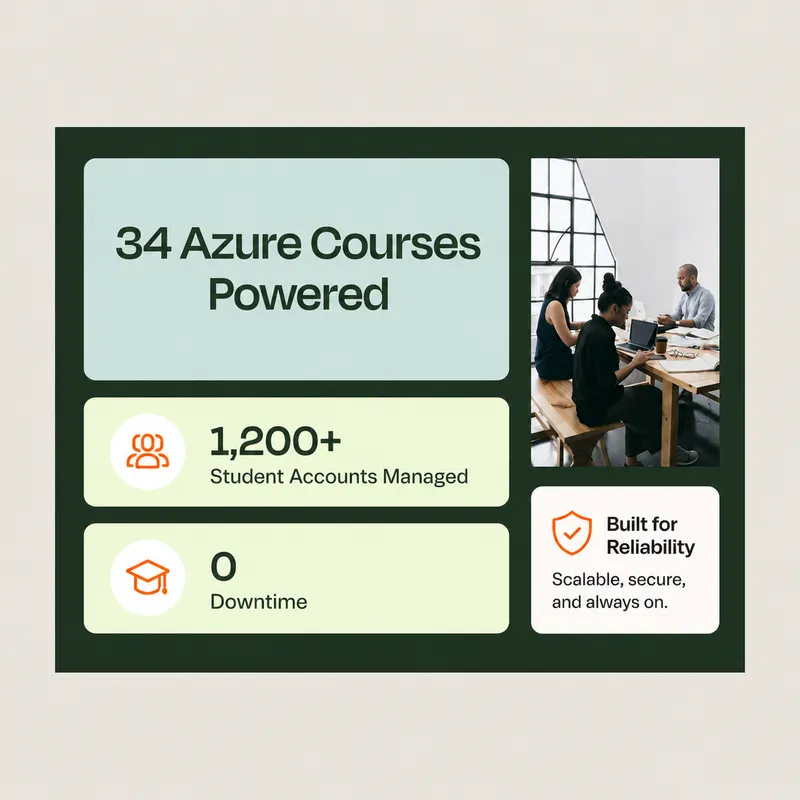
“Dank CloudLabs konnten wir Azure-bezogene Kurse erfolgreich für eine große Zahl von Studierenden in verschiedenen Programmen durchführen.”
David Trinh, Academic Program Manager, Seneca Polytechnic

CloudLabs Definiert Erfolg Neu Weltweit von führenden Institutionen vertraut!

Seneca PolytechnicAustin Community CollegeQueen's UniversityDeakin UniversityUniversity of FloridaToronto Metropolitan UniversityBCITMITColumbia UniversityCarnegie Mellon UniversityNortheastern UniversityUMass BostonBellevue UniversityECPI University
  • 10+

    Jahre Branchenerfahrung

  • 5M+

    Weltweit bereitgestellte Labs

  • 1M+

    Weitergebildete Teilnehmer

  • 50K+

    Unterstützte Events

Why CloudLabs for virtual machine labs?

Live pilot

AZ-104 · Azure VM labs

Live
  • Cohort A 32 learners In lab
  • Cohort B 24 learners Done

Pilot feedback

4.8 / 5

Managed setup

2h SLA
  • Lab setup
  • Configuration management
  • Automation scripting
  • Priority issue resolution

Your migration engineer

Priority queue · replies in hours

Transition plan

6 weeks
  1. Lab assessment Week 1
  2. Image migration Weeks 2–3
  3. Pilot sessions Week 4
  4. Cutover Week 6

LMS compatibility

2 of 4 checks passed

  • Canvas Passed
  • Moodle Passed
  • Blackboard Check
  • LTI 1.3 Check

Purpose-built environments

Create standardized VM environments with the tools and configurations required for each scenario.

Hands-on access

Let users work directly inside their assigned environments from the browser.

Centralized administration

Manage labs, users, schedules, deployments, and lifecycle operations from one place.

Program-level control

Monitor usage, optimize cloud consumption, and manage labs across courses, teams, events, or customer programs.

Case Studies

Delivering Measurable Impact

See how organizations across industries use CloudLabs to accelerate adoption, deliver hands-on learning, enable customers and employees, and achieve measurable business outcomes.

Features

Everything you need to build, deliver, and manage VM labs at scale

Build the lab you need, deliver it to learners anywhere, and keep every session under control.

Build

  • Customized labs on Azure

    Launch Windows and Linux lab environments in minutes, configured for your training, testing or enablement needs, in the Azure region of your choice for performance and data residency.

  • Flexible VM sizes

    Choose custom vCPU, RAM, GPU and disk combinations, including nested virtualization and GPU options.

  • Multi-VM labs

    Give each user up to 5 VMs per lab, each with its own configuration, for networking and multi-tier scenarios.

  • Persistent or non-persistent labs

    Keep a user's work across sessions, or reset to a clean environment every time.

Deliver

  • Browser access with any identity

    Users open their VMs in any browser, with no client install or VPN, signing in with Microsoft Entra ID, Google, LinkedIn and other identity providers.

  • Dedicated and shared VMs

    Assign a dedicated VM to each user, or provide shared multi-session environments for group work.

  • Inbuilt lab manual

    Show step-by-step instructions inside the lab, so users can follow exercises with confidence.

  • LMS integration

    Launch labs from Moodle, Canvas and other LMS platforms through LTI 1.1 and 1.3.

Manage

  • Shadow VM

    Connect to any user's environment in real time to guide, monitor or troubleshoot.

  • Cost optimization and reporting

    Control consumption with usage limits, scheduled operating hours and automatic shutdown of idle VMs, and track spend per user and per lab with detailed Power BI reports.

  • Image optimization

    Use AI-based fleet analysis to optimize VM images at scale. Ephemeral OS helps reduce separately billed OS disk storage costs by up to 65%.

  • Automation

    Reduce manual work with lab cloning, lifecycle tracking (Active, Expired, Deleted), REST APIs, and PowerShell support.

Produktblatt (PDF)

VM Labs Produktblatt

Die wichtigsten Funktionen auf einer Seite, bereit zum Teilen mit Ihrem Team und der Leitung.

PDF herunterladen PDF · 1 Seite · auf Englisch

Anwendungsfälle

Wie Führende Teams CloudLabs VM Labs Nutzen

Von akademischen Klassenzimmern bis zu Unternehmens-Sandboxes – eine Plattform für jedes praxisnahe Lernszenario.

Students working together on laptops in a classroom

Akademische Labs & Klassenraum-Lernen

Richten Sie virtuelle Lab-Umgebungen für Kurse, Aufgaben und semesterlange Programme ein. Geben Sie jedem Studierenden Zugang zu den Tools und Ressourcen, die er für seine Kurse benötigt.

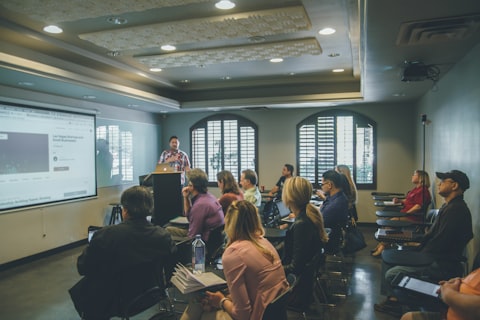
Instructor presenting to a room of learners

Instruktorgeführte Schulungen & Zertifizierungsprogramme

Bereiten Sie virtuelle Maschinen mit der erforderlichen Software und den Inhalten für Workshops, Bootcamps und Zertifizierungsschulungen vor. Bieten Sie Lernenden vom ersten Tag an eine einheitliche Umgebung.

Developers collaborating at a hackathon table

Hackathons & Technische Events

Führen Sie praxisnahe Events mit virtuellen Maschinen durch, die für Hunderte von Teilnehmern skalieren. Bieten Sie den Teilnehmern sofortigen Zugang zu den benötigten Umgebungen.

Analytics dashboard on a laptop screen

Produktdemos & Kundentests

Teilen Sie Lab-Umgebungen nur auf Einladung mit Interessenten und Kunden. Lassen Sie Nutzer Ihr Produkt vor der Bereitstellung über geführte, praxisnahe Erlebnisse erkunden.

Team reviewing a plan together around a table

Partner-Enablement-Programme

Bieten Sie Partnern dedizierte Umgebungen für Schulung, Lösungsvalidierung und technische Bereitschaft. Helfen Sie ihnen, durch praktische Erfahrung Selbstvertrauen aufzubauen.

Rows of server racks in a data centre

Sandbox-Umgebungen & Proof of Concepts

Stellen Sie Windows- oder Linux-VMs für Experimente, Tests und Proof-of-Concept-Projekte bereit. Erkunden Sie neue Ideen, ohne Produktionssysteme zu beeinträchtigen.

  • 01

    Build your virtual machine environment

    Create or configure the VM image, applications, resources, and settings your scenario requires.

  • 02

    Design the lab

    Set access rules, usage policies, schedules, VM quantities, and other lab configurations.

  • 03

    Publish to your users

    Invite learners, participants, customers, or employees and provide access through the CloudLabs portal or your LMS.

  • 04

    Manage and optimize

    Monitor activity, support users, control consumption, and manage the lab lifecycle from the CloudLabs platform.

24×7 weltweit

Globale Support-Optionen

Regionale Datenresidenz und mehrsprachiger Support für globale Teams.

Visit the Spektra Systems Trust Center

Regionale Bereitstellung

Wählen Sie, wo Ihre Labs laufen.

  • Nordamerika: Bereitstellungszentren in den USA und Kanada
  • EMEA: Abdeckung für Europa, Nahost und Afrika
  • APAC: Bereitstellung in Asien-Pazifik und Australien
Learner working through a lab on a laptop

Wählen Sie Ihre bevorzugte Region für Compliance und Kontrolle über den VM-Standort.
Mehrsprachiger Support

Support in Ihrer Sprache, rund um die Uhr.

Support-Abdeckung

Verfügbarkeit
24×7
Datenresidenz
Regional
Regionen
Nordamerika, EMEA, APAC
Sprachen
7 unterstützt

Erhalten Sie Support auf English, Español, Français, Deutsch, Italiano, 日本語 und 한국어 – für ein wirklich inklusives, nahtloses globales Erlebnis.

Pay for what you use

Use your existing Azure subscription or let CloudLabs manage the Azure infrastructure for you. CloudLabs supports flexible deployment and purchasing models so you can align VM lab delivery with your organization's cloud strategy.

Cost item Bring your own subscription CloudLabs-managed subscription
Azure VM cost Billed to your Azure account, per hour of use Billed by CloudLabs, per hour of use
Platform fee $12 per user per month $6 per user per month

Prefer to buy through Microsoft? Get VM Labs on Azure Marketplace

Support

Support-Stufenoptionen

Verbessern Sie Ihr Support-Erlebnis, indem Sie aus einer Reihe anpassbarer Stufenoptionen wählen, die auf Ihre Geschäftsanforderungen zugeschnitten sind.

Standard-Support ist für alle Kunden ohne zusätzliche Kosten verfügbar.

  • Standard Edition

    Für alle Kunden inklusive

    Kontaktmethoden
    E-Mail
    Erste Reaktionszeit
    4 Stunden
    Verfügbarkeit
    24 / 7
    E-Mail-Support
  • Beliebt

    Premium Edition

    Standard Edition Support+

    Kontaktmethoden
    E-Mail, Live-Chat
    Erste Reaktionszeit
    15 Minuten
    Verfügbarkeit
    24 / 7
    Live-Chat starten
  • Enterprise

    Enterprise Edition

    Premium Edition Support+

    Kontaktmethoden
    Individueller Kontakt
    Erste Reaktionszeit
    Individuelle SLAs
    Verfügbarkeit
    24 / 7
    Sprechen Sie uns an

Client Stories

“We are incredibly pleased with our experience using CloudLabs by Spektra Systems. Their responsiveness and support have been nothing short of outstanding, and they demonstrated remarkable flexibility in accommodating our unique processes.”
David Trinh
Academic Program Manager, Seneca Polytechnic
“Our company has been working with CloudLabs for three years. The service allowed us to train our teams and partners over different products and cloud platforms, by provisioning timely labs with the smoothest student experience.”
Tal Ein-Habar
Cloud Security Expert, Check Point
“CloudLabs has been our go-to platform for any hands-on lab experiences for customer and partner technical trainings. It eliminates the time and complexity of setting up labs and enables a smooth experience for all participants.”
Håkan Forsberg
Cloud Solution Architect, Microsoft
“Thank you for your exceptional support and service for the numerous workshops and hackathons we planned together. You are knowledgeable, reliable, and really great to work with.”
Nina Sui
Sr. Product Marketing Manager, Microsoft
“I partnered with Spektra Systems to host a large-scale virtual hackathon with an aggressive timeline and nothing more than an idea. They structured the event and exceeded my expectations by going above and beyond what was asked.”
Coree Mahoney
Azure Program Manager, Microsoft
“The lab environments provided by Spektra Systems are critical to our events. Spektra makes it easy for our participants and coaches to get access to Azure and Power Platform capabilities.”
Jeff Fatic
Director, HLS Emerging Opportunities, Microsoft
“Your team has been crucial in providing in-time support during the hackathon, solving and assisting participants. We recommend this model for every engagement where the labs are just a day long.”
Srikanth Dharmana
Program Manager, Global Channel Partner Solutions, Microsoft

VM Labs-FAQ

Häufig gestellte
Fragen

Wer nutzt VM Labs?

VM Labs wird von Bildungseinrichtungen, Unternehmen, Schulungsanbietern und Technologieunternehmen genutzt, die skalierbare praxisnahe Umgebungen für Lernen, Zertifizierung, Onboarding, Tests und Enablement benötigen.

Kann CloudLabs uns bei der Migration von Azure Lab Services zu CloudLabs VM Labs helfen?

Ja. Bestehende Azure Lab Services-Nutzer vertrauen CloudLabs mit dedizierten Migrationstools, durchgängig verwalteter Bereitstellungsbegleitung und priorisiertem Support während des gesamten Übergangsprozesses – und tragen dazu bei, bestehende Lab-Umgebungen und Lernerfahrungen zu bewahren.

Wie schnell können wir VM Labs starten?

Die meisten Organisationen können in Tagen statt Wochen starten. CloudLabs bietet vorkonfigurierte Lab-Vorlagen, Bereitstellungsunterstützung und Migrationssupport, damit Sie praxisnahe Umgebungen schnell und effizient starten können.

Kann VM Labs in unser LMS integriert werden?

Ja. VM Labs unterstützt native LTI-1.1- und LTI-1.3-Integrationen mit führenden Learning-Management-Systemen, darunter Canvas, Moodle und andere LTI-kompatible Plattformen.

Can VM Labs integrate with our LMS?

Yes. VM Labs supports LTI 1.1 and LTI 1.3, so you can launch labs from Canvas, Moodle and other LTI-compatible platforms.

Can I use my own Azure subscription?

Yes. You can bring your own Azure subscription or use a CloudLabs-managed one.

How quickly can we launch?

Most organizations launch their first labs within days, using preconfigured templates and deployment help from our team.

We use Azure Lab Services today. Can VM Labs replace it?

Yes. VM Labs is a recommended alternative to Azure Lab Services, with migration tooling and expert support.

Learn about migrating from Azure Lab Services →

Kostenlose Testversion starten

Richten Sie CloudLabs VM Labs ein und führen Sie Ihre ersten Labs aus, bevor Azure Lab Services eingestellt wird.

  • Zugang innerhalb von 24 Stunden aktiviert

    Ihre Testversion wird für Sie eingerichtet: Erstellen Sie bis zu 5 Labs mit 3 Bereitstellungen pro Lab.

  • Bis zu 2.000 $ an Azure-Guthaben

    Verfügbar für qualifizierte Azure Lab Services-Migrationen.

  • Migrationstools und Expertenbegleitung

    Verschieben Sie Ihre Lab Plans, Lab Accounts und VM-Images mit Hilfe unseres Teams.

  • LMS-Kompatibilitätsprüfungen

    Überprüfen Sie die Integration zwischen CloudLabs VM Labs und Ihrem bestehenden Lernökosystem.

Testversion anfordern

Senden Sie das Formular ab, und wir melden uns in Kürze bei Ihnen.

By clicking Submit, I agree to the use of my personal data in accordance with the Spektra Systems Privacy Notice. Spektra Systems will not sell, trade, lease, or rent your personal data to third parties. The Google Privacy Policy and Terms of Service apply.

Demo buchen

Ein 30-minütiges Microsoft-Teams-Gespräch mit einem CloudLabs-Experten. Den Link erhalten Sie mit der Kalendereinladung.