Check Point ATC Partner Program: Requirements, Benefits and Lab Setup
Check Point ATC partner program requirements, how to apply, and the ways to provide the lab every student needs, including hosted labs.

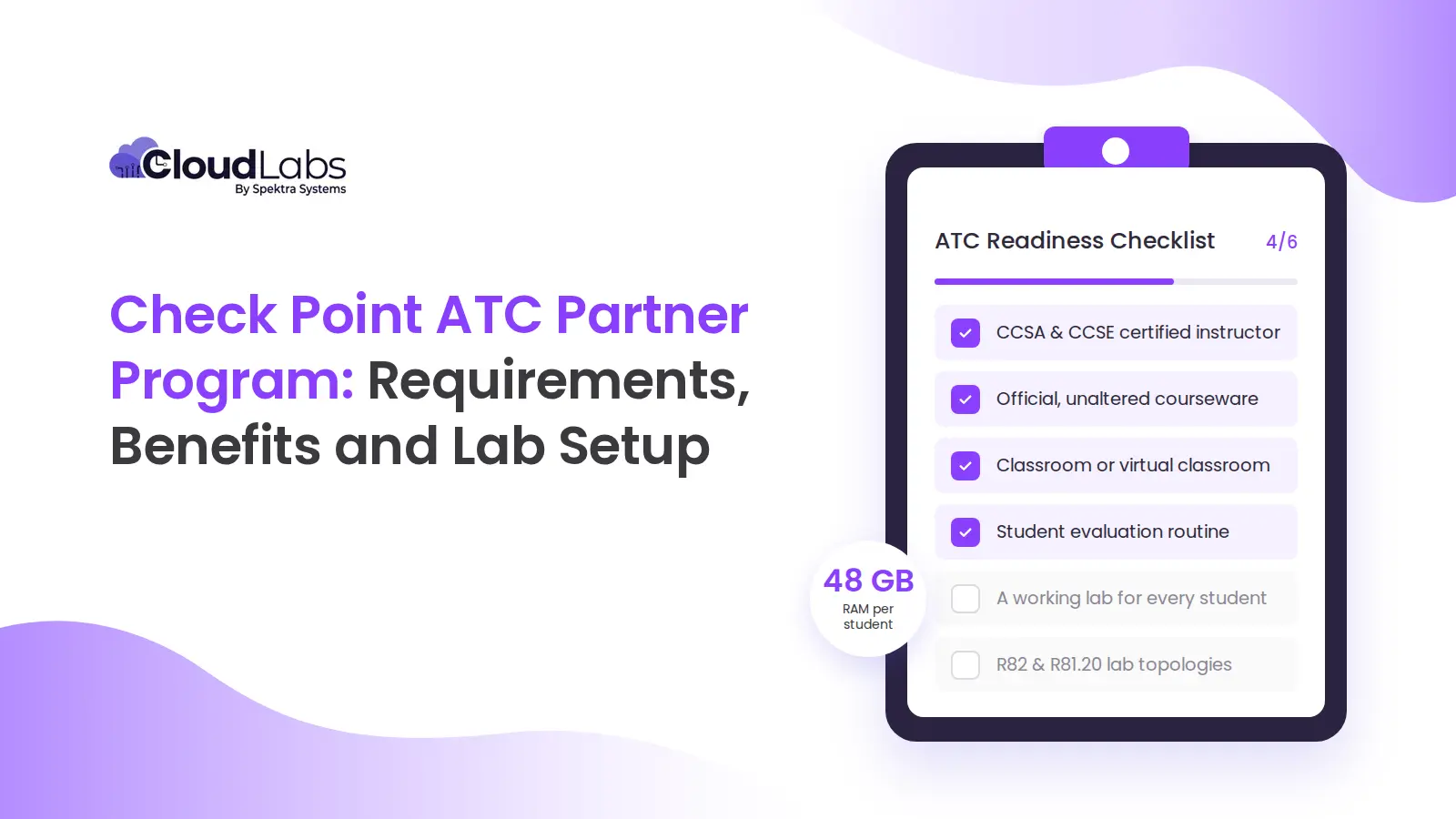
The Check Point ATC partner program lets approved training companies teach official Check Point courses. To become a Check Point authorized training center (ATC) partner, you need a certified instructor, unaltered courseware, and a working lab for every student. Check Point sets the lab minimum at 48 GB of RAM per workstation, or a virtual system with at least 128 GB of RAM per student. A hosted lab provider can supply those labs in place of your own hardware but confirm the arrangement with Check Point when you apply.
Instructors, courseware and facilities take paperwork. The lab takes planning and money. Check Point lists the hardware but leaves sizing, setup, upkeep and idle capacity to you, and that work repeats with every class you run.
What is the Check Point ATC partner program, and what do ATCs get?
A Check Point Authorized Training Center (ATC) is an organization approved to deliver official Check Point training. Check Point’s ATC program page lists these benefits for partners:
- Regular ATC updates, access to PartnerMAP content, and early entry to courseware betas
- A listing on the Check Point Partner Locator, plus official ATC and Partner logos
- Instructor resources, including lab topologies, setup guides and presentations
- Marketing, sales and advertising tools to promote your courses
For a new ATC, the instructor resources matter most. The lab topologies define what each student’s lab has to contain, and the setup guides show how to build it. Courseware betas give early notice of the next course version, which is when your labs need a rebuild.
Check Point runs a separate channel partner program. The ATC application is its own form, and it asks whether your company is already a channel partner.
Check Point supplies the courseware and lab topologies. You supply the instructors and a facility with a working lab for every student.
What are the requirements to become a Check Point Authorized Training Center?
These requirements come from Check Point’s ATC page as retrieved on 8 October 2026.
| Requirement | What Check Point specifies | What a training manager has to do |
|---|---|---|
| Instructors | At least one certified instructor per ATC location: CCSA and CCSE certified on the current version, plus a soft-skills trainer certification | Name who will teach, and check their certifications against the current course version before you apply |
| Courseware | Official Check Point courseware, used without alterations | Build every class on the official materials as published |
| Facilities | Comfortable, well-equipped facilities or virtual classrooms, with audiovisual capability and individual workstations | Prepare the room or virtual classroom, with a workstation for each student |
| Student evaluations | Direct students to Check Point’s online evaluation form after training | Add the evaluation link to your end-of-class routine |
| Lab hardware | Meet Check Point’s equipment, hardware, software and lab topology requirements, with specs for workstations and virtual systems | Decide how every student gets a working lab, and who builds and maintains it. The specs are in the ATC lab requirements below |
You arrange instructors, courseware, facilities and evaluations once. A lab has to be built and reset for every class, so only that row depends on money and capacity.
How do you apply to the Check Point ATC partner program?
Check Point takes applications through an online form. It asks for:
- Your company details: name, address, email and website, plus the requestor’s name, location and phone number.
- How many students you expect to take Check Point courses each year: fewer than 25, 26 to 50, 51 to 150, or more than 150.
- How many engineers you plan to certify as instructors: one to five, or more than five.
- Whether your company is a current Check Point channel partner.
- The full names of your instructors, so Check Point can verify their certifications.
Before you open the form, name your instructors and decide how every student will get a lab.
Check Point’s published pages do not state an approval timeline or a program fee, and they do not say how instructors get certified. Ask Check Point these questions before you commit:
- How long approval takes after you submit the form
- Whether the program has a fee, and what it covers
- How your engineers get certified as instructors, and how long that takes
- Whether the virtual system figures apply per student, and how many students one host supports
- Whether a hosted lab provider meets the lab requirement
What are the ATC lab requirements, and what do they take to meet?
Check Point states the lab requirement in one short section of its ATC page. These figures are as retrieved on 8 October 2026.
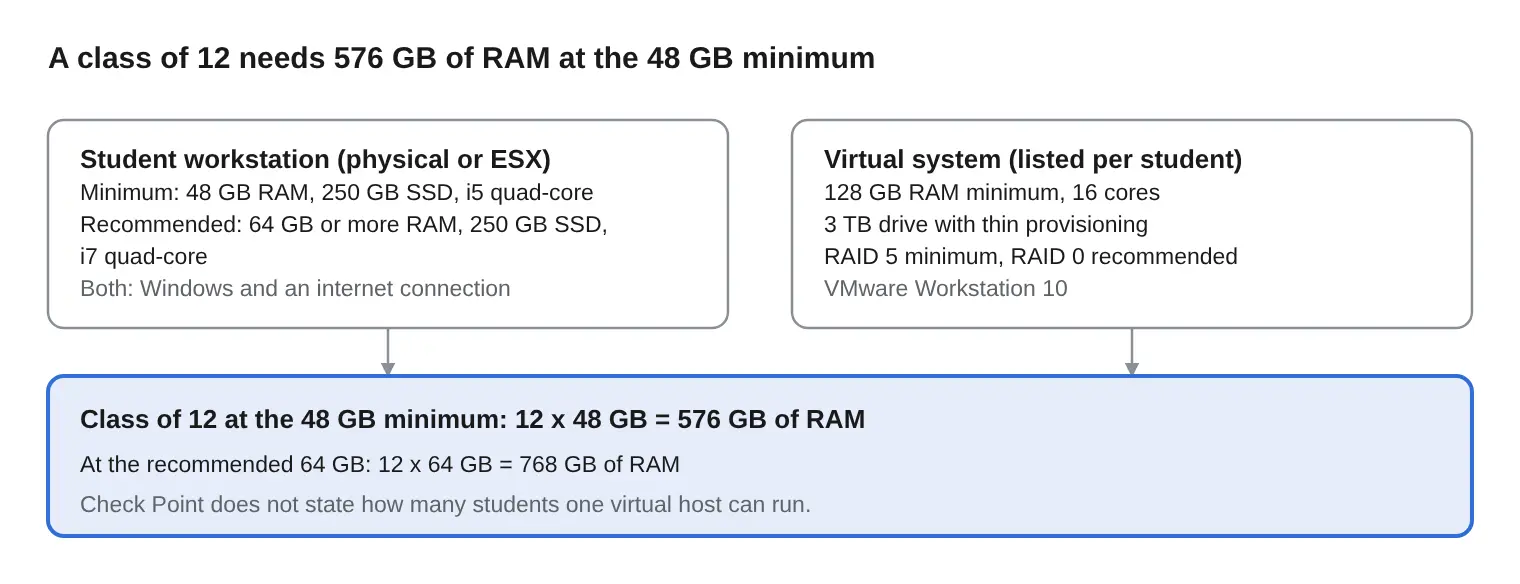
Take a class of 12. At the 48 GB minimum, 12 workstations need 576 GB of RAM in total. At 64 GB each, they need 768 GB. At 24 students the totals are 1,152 GB and 1,536 GB. Check Point lists the virtual system figures per student and sets no limit on how many students one virtual host can run, so ask Check Point how they apply to your setup before you size anything.
The spec does not say who handles:
- Rebuilding the lab topology when the course version changes, for example from R81.20 to R82
- Resetting a student’s broken lab halfway through a class
- Running two classes that overlap
- Paying for capacity that sits idle between classes
Idle capacity is easy to miss in the budget. A classroom of 12 workstations costs the same in a week with no class as in a week with two.
How can an ATC meet the lab requirement?
Check Point lists the figures but not how to provide the lab. A training center can buy workstations, run a virtualization host or use a hosted lab provider. Each has one main limitation.
| Option | Fits when | Main limitation |
|---|---|---|
| Workstations at the minimum spec | You teach at one site, with a stable class size and a predictable schedule | Every seat carries the full per-student spec, whether or not a class is running |
| A virtualization host (Check Point’s virtual option) | You teach at one site and run a few classes at the same time | Check Point lists the virtual figures per student and does not say how many students a host supports, so sizing falls on you |
| A hosted lab provider | You teach remotely, at several sites, or with demand that rises and falls | You pay per hour of active labs, and you depend on the provider for lab availability |
Workstations are the most direct route when you have a permanent classroom that fills regularly. You buy the machines and configure them once, and you keep paying for them between classes.
A virtualization host puts the lab on shared infrastructure instead of on every desk. That can mean less hardware in the room, but the host becomes the capacity limit when two classes overlap or enrollment grows.
With a hosted lab, the provider builds and updates the topology, so you do not configure student machines. You pay for the hours labs run, not for idle capacity between classes. Students connect from a browser, so the lab can sit near them instead of in your classroom, and lab problems during a class go to the provider’s support team.
Start with your schedule. Workstations make sense when classes run every week at one site and the machines stay busy. A hosted lab makes sense when classes are occasional, spread across sites or hard to predict, because you pay only for the hours labs run. A virtualization host fits between the two, and you size it for your busiest week.
CloudLabs describes itself as an authorized lab provider for Check Point ATCs. Check Point’s public ATC page does not mention hosted labs either way, so confirm with Check Point that your arrangement meets the lab requirement before you rely on it.
How CloudLabs helps Check Point ATCs
CloudLabs provides hosted Check Point labs for ATCs:
- Labs run in a browser, so learners install nothing and you buy no student machines.
- You pay per hour of active labs. The platform detects idle VMs, stops them on a schedule and deletes them automatically.
- R82 and R81.20 labs are available for official Check Point courses, including CCSA, CCSE, CCTA, CCTE, CPDA, CCAS, CCCS, CTPS and CCES.
- Labs run in an Azure region close to your students.
- Priority support runs 24/7 by email and live chat, with a ticketing system that tracks each request.
- A free trial of the R82 and R81.20 labs is available.
Instructors can read the Check Point instructor guide, and existing ATCs can find setup details in the ATC lab documentation.
Hosted labs cover the lab only. You still need certified instructors, official courseware and your end-of-class evaluation routine.
CLICO, a Check Point ATC, said: “The cloud training system relieved us a lot — both in terms of engineering workload and cost. The labs run smoothly, and the support team is fast and responsive.” (CLICO Team)
FAQs
Is the ATC partner program the same as Check Point's channel partner program?
No. The ATC application is its own form, and it asks whether your company is a current Check Point channel partner. Check Point's ATC page does not say whether channel partner status is required, so ask Check Point if it matters to you.
Which Check Point courses can an ATC deliver?
ATCs teach Check Point's official courses, which start with CCSA and CCSE and include CCTA, CCTE, CPDA, CCAS, CCCS, CTPS and CCES. Check Point's catalog sets the current list and versions, so confirm it before you plan a class. CCSA and CCSE are also the certifications your instructors need on the current version.
Can an ATC teach online?
Check Point's requirements name "facilities or virtual classrooms," so virtual delivery appears on the page. The page does not describe how a virtual class must run, so confirm the details with Check Point when you apply. A virtual classroom still needs a working lab for every student, so the lab requirement applies the same way. CloudLabs's guide to virtual Check Point training covers delivery tips.
Are R82 labs available for ATC courses?
Yes. CloudLabs offers R82 and R81.20 labs for official Check Point courses, including CCSA, CCSE and CPDA on R82. The post on the Check Point R82 labs explains how to get started. Match the lab version to the course version you teach, and confirm the lab for your course before you schedule a class.
 Hands-on labs Top Skillable Alternatives: 10 Lab Platforms Compared by Use Case Compare 10 Skillable alternatives by use case: demos and POCs, events, university labs, live training. Prices as published, one limitation each.
  Education Fall 2026 Checklist for Universities: Are Your Virtual Labs Ready for the Next Semester? As universities prepare for the Fall semester 2026, lab readiness becomes a priority.
  Hands-on labs Build Custom Hands-On Labs for Training, POCs, and All Your Product-Related Needs with CloudLabs Platform Build on-demand, custom hands-on lab environments with the CloudLabs platform for product training, POCs, demos, certification, and team enablement.